July 28, 2026
JPG vs JPEG: Is There Any Difference? (Complete 2026 Guide)
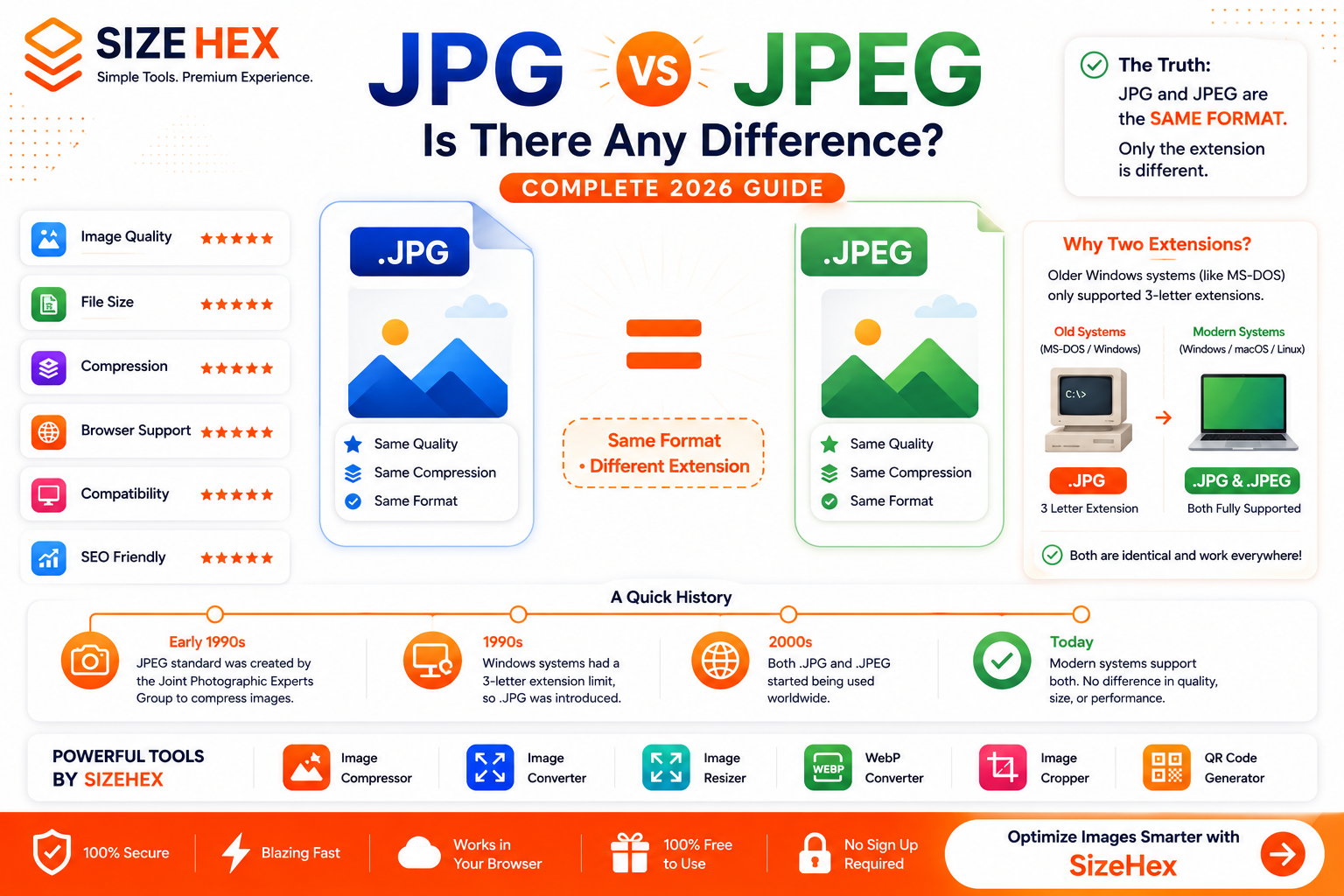
JPG vs JPEG: Is There Any Difference?
If you've ever downloaded an image, you've probably noticed that some files end with .jpg, while others use .jpeg. This often leads people to wonder whether they are different image formats or if one offers better quality than the other.
The short answer is simple:
JPG and JPEG are exactly the same image format.
There is no difference in image quality, compression, file size, or compatibility. The only distinction is the file extension used to identify the image.
Despite this, thousands of people search every month for terms like "JPG vs JPEG", "Difference between JPG and JPEG", and "Is JPG the same as JPEG?" because the different file extensions can be confusing.
In this complete guide, you'll learn:
- What JPG is
- What JPEG is
- Why two file extensions exist
- The history behind JPG and JPEG
- Image quality comparison
- File size comparison
- Whether one format is better than the other
By the end of this article, you'll understand why JPG and JPEG are identical and when you might encounter each extension.
What Is JPG?
JPG is one of the world's most widely used image file extensions.
It is based on the JPEG (Joint Photographic Experts Group) image compression standard, which was created to reduce image file sizes while maintaining good visual quality.
JPG uses lossy compression, meaning it removes some image data to create smaller files. When compression levels are moderate, the quality loss is usually difficult for the human eye to notice.
Key Features of JPG
- Small file sizes
- Excellent for photographs
- Universal compatibility
- Fast loading
- Easy to share
- Supported by all major browsers
- Supported by almost every operating system
- Ideal for websites and social media
Today, millions of websites, cameras, smartphones, and editing applications use JPG as the default format for photographs.
What Is JPEG?
JPEG stands for Joint Photographic Experts Group, the organization that developed the image compression standard in the early 1990s.
The .jpeg extension refers to the exact same file format as .jpg.
Whether a file ends with:
- image.jpg
- image.jpeg
Both files use the same compression algorithm, the same image structure, and the same quality settings.
There is absolutely no technical difference between them.
JPEG Features
- Lossy compression
- Small file sizes
- High compatibility
- Excellent photographic quality
- Billions of files worldwide
- Supported by cameras, smartphones, browsers, and editing software
Whenever someone says "JPEG image," they're referring to the same format commonly saved with either the .jpg or .jpeg extension.
Why Are There Two Extensions?
This is the question that confuses most people.
The answer comes from the history of computer operating systems.
Older versions of Microsoft Windows, particularly MS-DOS and early versions of Windows, only allowed file extensions with three characters.
For example:
- .exe
- .txt
- .gif
- .png
Since .jpeg has four letters, it couldn't be used.
To solve this limitation, Microsoft shortened the extension to:
.jpg
Meanwhile, operating systems such as Unix and Macintosh didn't have the same restriction, so they continued using:
.jpeg
Over time, both extensions became widely accepted.
Today, modern operating systems support both .jpg and .jpeg, and they are treated exactly the same.
History of JPG and JPEG
The JPEG standard was developed by the Joint Photographic Experts Group, an international committee that aimed to create an efficient method for compressing digital photographs.
Before JPEG, storing high-quality digital images required large amounts of disk space and bandwidth.
The JPEG standard solved this problem by introducing lossy compression, which significantly reduced file sizes while preserving acceptable visual quality.
As digital cameras, websites, and the internet became more popular, JPEG quickly became the global standard for photographic images.
Later, because of the three-character filename limitation in early Windows systems, .jpg emerged as an alternative extension.
Although the operating system limitation has long since disappeared, both extensions remain in use today.
Quick Comparison Table
| Feature | JPG | JPEG |
|---|---|---|
| Image Format | ✅ JPEG Standard | ✅ JPEG Standard |
| Image Quality | Same | Same |
| Compression | Same | Same |
| File Size | Same | Same |
| Extension Length | 3 Letters | 4 Letters |
| Browser Support | Excellent | Excellent |
| Camera Support | Excellent | Excellent |
| Website Support | Excellent | Excellent |
| Editing Software | Excellent | Excellent |
The table makes one thing clear:
JPG and JPEG are the same image format.
The only visible difference is the number of letters in the file extension.
Image Quality Comparison
One of the biggest myths is that JPEG provides better image quality than JPG.
This is false.
Image quality depends on:
- Compression settings
- Export quality
- Editing software
- Original image resolution
It does not depend on whether the file ends in .jpg or .jpeg.
For example:
- Photo.jpg (Quality 90)
- Photo.jpeg (Quality 90)
These two files will look exactly the same if they were exported using the same settings.
Winner
🏆 Tie
There is no quality difference between JPG and JPEG.
File Size Comparison
Another common misconception is that JPEG files are larger than JPG files.
Again, this is incorrect.
The file size depends on factors such as:
- Image dimensions
- Compression level
- Quality settings
- Color information
- Metadata
The file extension itself has no effect on file size.
For example:
| File | Size |
|---|---|
| photo.jpg | 1.8 MB |
| photo.jpeg | 1.8 MB |
If both images are exported with the same settings, they will have the same file size.
Winner
🏆 Tie
There is no difference in file size between JPG and JPEG.
Compression Explained
Whether a file uses the .jpg or .jpeg extension, both rely on the same JPEG compression algorithm.
JPEG uses lossy compression, which reduces file size by permanently removing some image data that is considered less noticeable to the human eye.
This makes JPEG ideal for storing photographs while keeping file sizes relatively small.
The amount of compression depends on the quality settings selected during export.
High Quality (90–100%)
- Larger file sizes
- Excellent image quality
- Best for professional photography
- Suitable for printing
Medium Quality (70–90%)
- Smaller file sizes
- Very good image quality
- Ideal for websites
- Recommended for blogs and business sites
Low Quality (Below 70%)
- Much smaller files
- Visible compression artifacts
- Blurry details
- Not recommended for professional use
Remember, the file extension (.jpg or .jpeg) does not affect compression. The export settings determine the final quality and file size.
Winner: 🏆 Tie
Browser Support
One reason JPEG has remained popular for decades is its universal compatibility.
Every major web browser fully supports both .jpg and .jpeg files because they represent the same image format.
Supported browsers include:
- Google Chrome
- Mozilla Firefox
- Microsoft Edge
- Safari
- Opera
- Brave
There is no difference in how browsers display JPG or JPEG images.
Whether your image is named banner.jpg or banner.jpeg, visitors will see the same image with the same quality.
Winner: 🏆 Tie
Software Compatibility
Almost every image editing application supports both file extensions.
Popular software includes:
- Adobe Photoshop
- Adobe Lightroom
- Canva
- GIMP
- Paint.NET
- Affinity Photo
- Microsoft Paint
- Apple Preview
Digital cameras, smartphones, scanners, and image editing tools recognize both extensions without any issues.
Some applications may save images as .jpg, while others use .jpeg, but the underlying image format remains identical.
Winner: 🏆 Tie
JPG vs JPEG for Photography
Photography is the primary use case for the JPEG standard.
Professional photographers often capture images in RAW format for editing and then export them as JPEG for sharing or publishing.
Whether the exported file uses .jpg or .jpeg, there is no difference in:
- Image quality
- Color accuracy
- Compression
- Printing quality
- Editing capability
If the export settings are identical, the results will also be identical.
Winner: 🏆 Tie
JPG vs JPEG for Websites
Both file extensions work perfectly on websites.
Web servers, browsers, content management systems, and website builders treat .jpg and .jpeg as the same image format.
Examples include:
- WordPress
- Shopify
- Wix
- Squarespace
- Webflow
- Custom HTML websites
The extension itself does not influence:
- Website speed
- Image quality
- SEO
- Loading performance
For better website performance, consider converting large JPG/JPEG images to modern formats like WebP or AVIF when appropriate.
Winner: 🏆 Tie
JPG vs JPEG for SEO
Many people wonder whether Google prefers .jpg over .jpeg.
The answer is no.
Search engines do not rank images differently based on the file extension.
Instead, image SEO depends on factors such as:
- Descriptive filenames
- Relevant alt text
- Image size and compression
- Page loading speed
- Responsive image implementation
- Structured data (when applicable)
For example:
-
red-running-shoes.jpg -
red-running-shoes.jpeg
Both have the same SEO value if all other optimization factors are equal.
Image SEO Best Practices
- Compress images before uploading.
- Use descriptive filenames.
- Add meaningful alt text.
- Resize images to match display dimensions.
- Choose the right image format for the content.
- Enable lazy loading where appropriate.
Winner: 🏆 Tie
Pros & Cons
JPG
Pros
- Shorter file extension
- Widely recognized
- Excellent compatibility
- Great for photography
- Small file sizes
Cons
- Uses lossy compression
- No transparency support
- Quality decreases with repeated editing and saving
JPEG
Pros
- Official file extension based on the JPEG standard
- Same image quality as JPG
- Universal compatibility
- Ideal for photographs
- Supported by virtually all software
Cons
- Uses lossy compression
- No transparency support
- Slightly longer file extension (purely cosmetic)
Common Myths
Myth 1: JPEG Has Better Quality Than JPG
❌ False
Both extensions use the same compression standard and produce identical image quality when exported with the same settings.
Myth 2: JPG Files Are Smaller
❌ False
File size depends on image dimensions, quality settings, metadata, and compression—not on whether the extension is .jpg or .jpeg.
Myth 3: Google Prefers JPG
❌ False
Search engines evaluate image optimization, page speed, and relevance—not the number of letters in the file extension.
Myth 4: One Extension Is More Modern
❌ False
Both extensions are fully supported by modern operating systems, browsers, cameras, and editing software.
Best Practices
To get the best results from JPG/JPEG images:
- Use a consistent extension across your website or project.
- Compress images before uploading them.
- Export at an appropriate quality level (around 80–90% is often a good balance for web use).
- Use descriptive filenames and alt text for better SEO.
- Resize images to the dimensions they'll actually be displayed at.
- Consider converting JPG/JPEG images to WebP or AVIF for improved website performance while keeping the original JPG/JPEG as your master copy.
Are JPG and JPEG the Same?
Yes.
JPG and JPEG are exactly the same image format.
There is no difference in:
- Image quality
- Compression method
- File size
- Browser support
- Software compatibility
- SEO
- Website performance
The only difference is the file extension.
The
.jpgextension was created because older versions of Windows (such as MS-DOS) only supported three-character file extensions. The official extension is.jpeg, but modern operating systems fully support both, and they are treated identically.For everyday use, you can choose either extension without affecting your images.
Final Comparison Table
Feature JPG JPEG Image Format ✅ Same ✅ Same Image Quality ⭐⭐⭐⭐⭐ ⭐⭐⭐⭐⭐ Compression ⭐⭐⭐⭐⭐ ⭐⭐⭐⭐⭐ File Size ⭐⭐⭐⭐⭐ ⭐⭐⭐⭐⭐ Photography ⭐⭐⭐⭐⭐ ⭐⭐⭐⭐⭐ Websites ⭐⭐⭐⭐⭐ ⭐⭐⭐⭐⭐ Browser Support ⭐⭐⭐⭐⭐ ⭐⭐⭐⭐⭐ Software Compatibility ⭐⭐⭐⭐⭐ ⭐⭐⭐⭐⭐ SEO ⭐⭐⭐⭐⭐ ⭐⭐⭐⭐⭐ Printing ⭐⭐⭐⭐⭐ ⭐⭐⭐⭐⭐ Final Verdict
🏆 Winner: Tie
There is no winner because JPG and JPEG are simply two different file extensions for the exact same image format.
Frequently Asked Questions (FAQ)
Is JPG different from JPEG?
No.
JPG and JPEG are identical image formats. The only difference is that
.jpguses a three-letter extension, while.jpeguses a four-letter extension.
Which has better quality: JPG or JPEG?
Neither.
If both images are saved with the same export settings, the quality will be exactly the same.
Which file is smaller: JPG or JPEG?
Neither.
File size depends on compression level, image dimensions, metadata, and quality settings—not the file extension.
Which extension should I use?
Use whichever extension matches your workflow.
Many websites and applications default to
.jpg, while others use.jpeg. Both are fully compatible with modern browsers and software.
Does Google prefer JPG or JPEG for SEO?
No.
Google does not rank images based on whether they use
.jpgor.jpeg.For better image SEO, focus on:
- Descriptive filenames
- Optimized file sizes
- Alt text
- Responsive images
- Fast page loading
Can I rename a JPG to JPEG?
Yes.
Since both extensions represent the same format, you can rename
.jpgto.jpeg(or vice versa) without changing the image itself, as long as the file was originally saved in the JPEG format.
Can cameras save images as both JPG and JPEG?
Yes.
Different camera manufacturers and software choose different default extensions, but the image format remains the same.
Should I convert JPG to WebP?
If you're optimizing images for websites, converting JPG images to WebP can reduce file sizes and improve page speed while maintaining excellent image quality.
Conclusion
The confusion between JPG and JPEG has existed for years, but the answer is straightforward:
They are the same image format.
Whether your image ends with .jpg or .jpeg, it uses the same JPEG compression standard and delivers the same image quality, compatibility, and performance.
When choosing between them, you don't need to worry about technical differences. Instead, focus on optimizing your images by compressing them appropriately, using descriptive filenames, adding alt text, and selecting the right format for your use case.
For websites, you may also consider converting JPEG images to modern formats like WebP or AVIF to improve loading speed and user experience while keeping the original JPEG as your master file.
Try SizeHex Today
Optimize your images with SizeHex—a fast, secure, and free online image toolkit.
Whether you need to compress, resize, convert, crop, or generate QR codes, SizeHex makes image optimization simple. All tools work directly in your browser, with no software installation required.
Related Tools
Image Compressor
Compress JPG, JPEG, PNG, WebP, AVIF, and other image formats without noticeable quality loss.
Image Converter
https://www.sizehex.com/image-converter.html
Convert images between JPG, JPEG, PNG, WebP, AVIF, BMP, GIF, TIFF, and more.
Image Resizer
https://www.sizehex.com/image-resizer.html
Resize images for websites, blogs, e-commerce stores, social media, and presentations.
WebP Converter
https://www.sizehex.com/webp-converter.html
Convert JPG/JPEG images to WebP for faster websites and improved performance.
Image Cropper
https://www.sizehex.com/image-crop.html
Crop images online with custom dimensions or preset aspect ratios in seconds.
QR Code Generator
Generate QR codes for URLs, contact details, Wi-Fi networks, emails, phone numbers, and more.