July 24, 2026
WebP vs PNG: Which Image Format Is Better? (Complete 2026 Guide
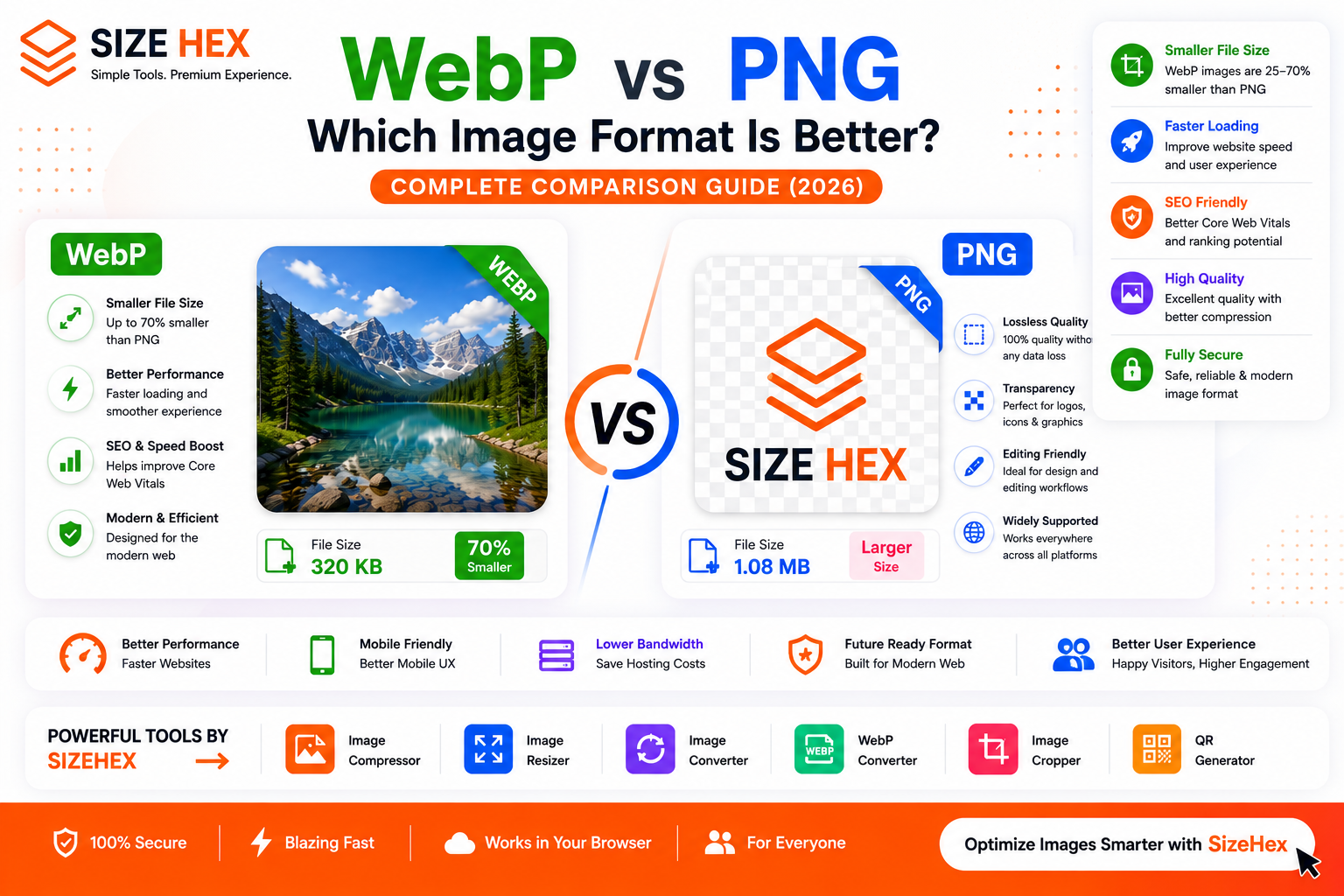
WebP vs PNG: Which Image Format Is Better?
Choosing the right image format can significantly impact your website's performance, search engine rankings, and user experience. Two of the most popular image formats today are WebP and PNG. While both offer excellent image quality, they are designed for different purposes.
PNG has been a trusted format for years because it provides lossless compression and supports transparent backgrounds. Designers, developers, and businesses often use PNG for logos, icons, screenshots, and graphics that require maximum clarity.
WebP, on the other hand, is a modern image format developed by Google. It was created to reduce file sizes while maintaining excellent image quality. Thanks to its superior compression, WebP has become the preferred choice for websites looking to improve loading speed and Core Web Vitals.
So, which format should you choose? Is WebP always better than PNG? Does PNG still have advantages in 2026?
In this complete comparison guide, you'll learn everything you need to know about WebP vs PNG, including image quality, file size, transparency, website performance, SEO, and the best use cases for each format.
What Is WebP?
WebP is a modern image format developed by Google to make websites faster without sacrificing visual quality. It supports both lossy and lossless compression, allowing images to remain sharp while significantly reducing file sizes.
Compared to traditional image formats like PNG and JPG, WebP can reduce image sizes by 25–35% or even more in many cases. Smaller image files help websites load faster, consume less bandwidth, and provide a smoother experience for visitors.
WebP also supports advanced features such as:
- Lossy compression
- Lossless compression
- Transparent backgrounds (Alpha Channel)
- Animation support
- Better website performance
- Faster loading speeds
- Lower bandwidth usage
Because of these advantages, WebP has become the recommended image format for modern websites, blogs, e-commerce stores, and web applications.
What Is PNG?
PNG (Portable Network Graphics) is one of the most widely used image formats for graphics and web design. It uses lossless compression, meaning images retain all their original details without quality degradation.
Unlike JPG, PNG supports transparent backgrounds, making it ideal for logos, icons, illustrations, UI elements, and screenshots.
PNG is popular because it provides:
- Crystal-clear image quality
- Transparent backgrounds
- Sharp text and graphics
- No compression artifacts
- Excellent editing capabilities
Although PNG delivers outstanding quality, its biggest drawback is file size. PNG images are usually much larger than WebP files, which can slow down websites if not optimized properly.
WebP vs PNG: Key Differences
Although WebP and PNG may appear similar, they serve different purposes.
| Feature | WebP | PNG |
|---|---|---|
| Compression | Lossy & Lossless | Lossless Only |
| File Size | ✅ Much Smaller | ❌ Larger |
| Image Quality | Excellent | Excellent |
| Transparency | ✅ Supported | ✅ Supported |
| Animation | ✅ Yes | Limited (APNG) |
| Website Performance | ✅ Excellent | Good |
| SEO Benefits | ✅ Better Page Speed | Moderate |
| Browser Support | Excellent | Universal |
The biggest difference is efficiency.
PNG focuses on preserving every detail, while WebP is designed to achieve nearly the same visual quality with much smaller file sizes.
Image Quality Comparison
One of the biggest concerns when choosing an image format is image quality.
PNG stores images without removing any visual information. Every pixel remains exactly as it was created, making PNG perfect for graphics that require maximum precision.
WebP, however, offers two compression methods:
Lossless WebP
Lossless WebP preserves image quality while still producing smaller files than PNG in many situations.
Lossy WebP
Lossy WebP intelligently removes data that is difficult for the human eye to notice. This dramatically reduces file size while maintaining excellent visual quality.
For most websites, visitors won't notice any visible difference between a high-quality WebP image and its PNG equivalent.
In many real-world scenarios, WebP provides almost identical image quality while reducing file size by 30–70%.
File Size Comparison
When it comes to website performance, file size is one of the most important factors.
PNG images can become quite large, especially for high-resolution graphics or images with transparent backgrounds. Larger files take longer to download, consume more bandwidth, and may slow down page loading.
WebP was specifically designed to solve this problem.
Here is a typical comparison:
| Format | Typical File Size |
|---|---|
| PNG | 2.8 MB |
| WebP (Lossless) | 1.9 MB |
| WebP (Lossy) | 650 KB |
These numbers will vary depending on the image, but WebP consistently delivers much smaller file sizes than PNG without a noticeable loss in quality.
For websites, this means:
- Faster loading pages
- Reduced server bandwidth
- Better mobile performance
- Improved user experience
- Better Core Web Vitals
Understanding Compression
Compression determines how much an image's file size can be reduced.
PNG Compression
PNG uses lossless compression, meaning no image data is discarded. Every time you save the image, the quality remains unchanged.
This makes PNG ideal for designs that require pixel-perfect accuracy.
WebP Compression
WebP supports both lossy and lossless compression.
- Lossy WebP removes unnecessary image data to achieve much smaller file sizes while keeping visual quality high.
- Lossless WebP preserves every detail and still often produces smaller files than PNG.
This flexibility makes WebP suitable for a much wider range of applications than PNG.
Transparency Support
Transparency is one of the main reasons designers have relied on PNG for years.
Both PNG and WebP fully support transparent backgrounds, making them excellent choices for:
- Company logos
- Brand icons
- Product cutouts
- UI elements
- Buttons
- Stickers
- Illustrations
- Website graphics
The key difference is efficiency.
A transparent WebP image is often significantly smaller than the same transparent PNG image while maintaining nearly identical visual quality.
For modern websites, transparent WebP images provide the best balance between design quality and performance.
WebP vs PNG for Websites
If your goal is to build a fast, modern website, choosing the right image format is just as important as writing clean code.
Large image files slow down websites, increase bandwidth usage, and create a poor user experience. Since images often make up the largest portion of a webpage, optimizing them can significantly improve performance.
For most websites, WebP is the better choice because it provides excellent image quality while keeping file sizes much smaller than PNG.
Benefits of WebP for Websites
- Faster page loading
- Better Core Web Vitals
- Lower bandwidth usage
- Improved mobile performance
- Better user experience
- Reduced hosting costs
- Faster image downloads
PNG still has its place, especially for graphics that require pixel-perfect quality or are edited frequently. However, using PNG for every website image can unnecessarily increase page size.
For the best results:
- Use WebP for photographs, banners, and most website images.
- Use PNG only when transparency or maximum editing quality is essential.
Winner for Websites: ✅ WebP
WebP vs PNG for SEO
Many people ask whether Google prefers WebP over PNG.
The truth is that Google does not rank websites simply because they use WebP.
However, WebP contributes to faster page speeds, and page speed is an important factor for user experience and Core Web Vitals.
Smaller images help by:
- Reducing Largest Contentful Paint (LCP)
- Improving mobile performance
- Lowering bounce rates
- Enhancing user experience
- Helping pages load faster
These improvements can indirectly support better SEO performance.
To maximize image SEO:
- Compress every image before uploading.
- Use descriptive filenames.
- Add meaningful alt text.
- Resize images to the required dimensions.
- Use responsive images where possible.
- Prefer WebP for most website visuals.
Winner for SEO: ✅ WebP
Speed Comparison
Website speed is one of the biggest reasons developers choose WebP.
A typical comparison looks like this:
| Format | Average File Size | Loading Speed |
|---|---|---|
| PNG | 2.8 MB | Slower |
| WebP (Lossless) | 1.9 MB | Faster |
| WebP (Lossy) | 650 KB | Fastest |
Smaller image files mean:
- Faster page rendering
- Lower server load
- Better performance on slow internet connections
- Improved mobile browsing
For websites focused on speed and performance, WebP is the clear winner.
Winner: ✅ WebP
Best Format for Photography
Photographs usually contain millions of colors, gradients, and fine details.
WebP compresses these images much more efficiently than PNG while maintaining excellent visual quality.
Benefits of WebP for photographs:
- Significantly smaller files
- Faster uploads
- Faster downloads
- Better website performance
- Excellent image quality
PNG is rarely used for photographs because its larger file size offers little practical benefit for most web use cases.
Winner: ✅ WebP
Best Format for Logos
Logos require:
- Sharp edges
- Transparent backgrounds
- Crisp text
- High-quality graphics
Both WebP and PNG support transparency and preserve sharp details.
PNG remains a favorite among designers because it is widely supported in design software and is easy to edit without worrying about compression settings.
For websites, however, exporting the final logo as WebP can reduce file size while keeping the logo visually identical.
A practical workflow is:
- Design and edit in PNG.
- Export the website version as WebP.
Winner: 🟰 Both, depending on your workflow.
Best Format for Screenshots
Screenshots often include:
- Text
- User interfaces
- Icons
- Charts
- Buttons
- Code snippets
PNG has traditionally been the preferred format because it preserves every detail without compression artifacts.
Today, lossless WebP offers similar clarity with a much smaller file size.
If you're publishing screenshots on a website, WebP is generally the better option.
If you're editing or sharing screenshots during the design process, PNG is still an excellent choice.
Winner: ✅ WebP (Web), ✅ PNG (Editing)
Best Format for Social Media
Most social media platforms automatically compress uploaded images.
Using WebP before uploading can reduce file sizes and speed up uploads, but many platforms will convert the image to their own formats.
For graphics with transparency, PNG remains a reliable choice.
For photographs and banners, WebP performs exceptionally well.
Winner: ✅ WebP for photos, ✅ PNG for transparent graphics.
Best Format for E-commerce
Online stores often display hundreds or thousands of product images.
Smaller image files improve:
- Product page speed
- Mobile shopping experience
- Search visibility
- Conversion rates
Recommended approach:
- Product photos → WebP
- Transparent product cutouts → WebP (or PNG if editing is required)
- Design assets → PNG
- Final website assets → WebP
This approach balances quality with performance.
Winner: ✅ WebP
WebP vs PNG: Pros and Cons
WebP Advantages
- Much smaller file sizes
- Excellent image quality
- Supports transparency
- Supports animation
- Faster website loading
- Better Core Web Vitals
- Lower bandwidth usage
- Ideal for modern websites
WebP Disadvantages
- Older software may have limited support.
- Editing workflows can be less convenient than PNG.
- Some legacy systems still expect PNG files.
PNG Advantages
- Lossless image quality
- Transparent backgrounds
- Perfect for editing
- Universal compatibility
- Great for logos and graphics
- Pixel-perfect clarity
PNG Disadvantages
- Larger file sizes
- Slower website loading
- Higher bandwidth usage
- Increased storage requirements
Best Practices
For the best balance of quality and performance:
- Use WebP for most website images.
- Use PNG during the design and editing process.
- Export final web assets as WebP whenever possible.
- Compress every image before uploading.
- Resize images to the exact display dimensions.
- Add descriptive filenames and alt text.
- Test image quality before publishing.
- Avoid uploading oversized PNG files directly to your website.
WebP vs PNG: Which One Should You Choose?
The right choice depends on how you plan to use your images.
Choose WebP if you need:
- Faster website loading
- Better Core Web Vitals
- Smaller image file sizes
- Improved SEO performance
- Modern website optimization
- Blog featured images
- E-commerce product photos
- Landing pages
- Portfolio websites
- Faster mobile browsing
WebP is the best choice for most websites because it delivers excellent image quality while significantly reducing file size.
Choose PNG if you need:
- Transparent logos
- Brand assets
- Icons
- UI elements
- Screenshots
- Digital illustrations
- Graphic design projects
- Images that require frequent editing
- Master design files
PNG is ideal when preserving every pixel and maintaining maximum editing flexibility is more important than minimizing file size.
WebP vs PNG: Final Comparison
Category Best Choice Website Performance ✅ WebP SEO ✅ WebP File Size ✅ WebP Image Quality 🟰 Both Transparency 🟰 Both Photography ✅ WebP Logos 🟰 Both Screenshots ✅ PNG (Editing) / ✅ WebP (Website) Editing ✅ PNG Website Speed ✅ WebP Mobile Performance ✅ WebP Storage Space ✅ WebP
Frequently Asked Questions (FAQ)
Is WebP better than PNG?
For websites, yes. WebP usually provides much smaller file sizes while maintaining excellent image quality. PNG remains a better choice for editing and design workflows.
Does WebP support transparent backgrounds?
Yes.
WebP fully supports transparency (alpha channel), making it suitable for logos, icons, stickers, and graphics with transparent backgrounds.
Is WebP good for SEO?
Yes.
While Google doesn't rank pages based solely on image format, WebP improves page speed and Core Web Vitals, which can positively impact user experience and SEO.
Is PNG lossless?
Yes.
PNG uses lossless compression, preserving every detail without reducing image quality.
Can WebP replace PNG?
In many website scenarios, yes.
However, designers often continue using PNG as the original working format and export optimized WebP versions for websites.
Which format is smaller?
WebP.
In most cases, WebP images are 25–70% smaller than comparable PNG images while maintaining similar visual quality.
Which format is better for logos?
Both work well.
PNG is preferred during design and editing, while WebP is excellent for publishing logos on websites because it reduces file size.
Can I convert PNG to WebP?
Yes.
Converting PNG to WebP is one of the best ways to improve website performance without noticeably reducing image quality.
Conclusion
Both WebP and PNG are excellent image formats, but they serve different purposes.
If your priority is fast-loading websites, smaller file sizes, improved Core Web Vitals, and better overall performance, WebP is the clear winner. It delivers high-quality images while significantly reducing bandwidth and loading times.
PNG remains the preferred format for designers who need lossless editing, transparent graphics, and pixel-perfect quality throughout the creative process.
A practical workflow is simple:
- Design and edit your graphics in PNG.
- Publish and optimize them as WebP for your website.
By using each format where it performs best, you can create visually stunning websites that are also fast, efficient, and SEO-friendly.
Try SizeHex Today
Optimize your images with SizeHex—a fast, secure, and free online image toolkit.
Whether you want to compress, resize, convert, crop, or generate QR codes, SizeHex helps you optimize images directly in your browser with no software installation required.
Related Tools
Image Compressor
Reduce image file size without noticeable quality loss. Perfect for websites, blogs, e-commerce stores, and social media.
Image Resizer
https://www.sizehex.com/image-resizer.html
Resize images for websites, Instagram, Facebook, YouTube, LinkedIn, and more.
Image Converter
https://www.sizehex.com/image-converter.html
Convert images between JPG, PNG, WebP, BMP, GIF, TIFF, and other popular image formats.
WebP Converter
https://www.sizehex.com/webp-converter.html
Convert images to and from WebP for faster website loading and improved performance.
Image Cropper
https://www.sizehex.com/image-crop.html
Crop images online using custom dimensions or preset aspect ratios without installing any software.
QR Code Generator
https://www.sizehex.com/qr-generator.html
Generate QR codes for URLs, Wi-Fi, contact details, emails, phone numbers, and more.
Featured Image Prompt
Design an ultra-premium 16:9 blog featured image (1200×630 px) for SizeHex titled "WebP vs PNG: Which Image Format Is Better?". Use the exact same modern SaaS design language as the official SizeHex branding: white background, soft glassmorphism cards, subtle gradients, rounded corners, smooth shadows, and vibrant orange (#ff6b00) accents with green highlights for WebP. Place the official SizeHex logo in the top-left corner. Create a split comparison layout with a WebP card on the left (small file size, fast loading, SEO-friendly) and a PNG card on the right (transparent background, lossless quality, perfect for logos). Include a bold "VS" badge in the center, comparison icons for File Size, Quality, Transparency, Website Speed, and SEO, plus a bottom section showcasing SizeHex tools (Image Compressor, Image Resizer, Image Converter, WebP Converter, Image Cropper, QR Generator). Add a premium CTA banner with "Optimize Images Smarter with SizeHex" and maintain a clean, professional style consistent with previous SizeHex blog graphics.