June 28, 2026
What Is WebP Format? The Complete Beginner's Guide
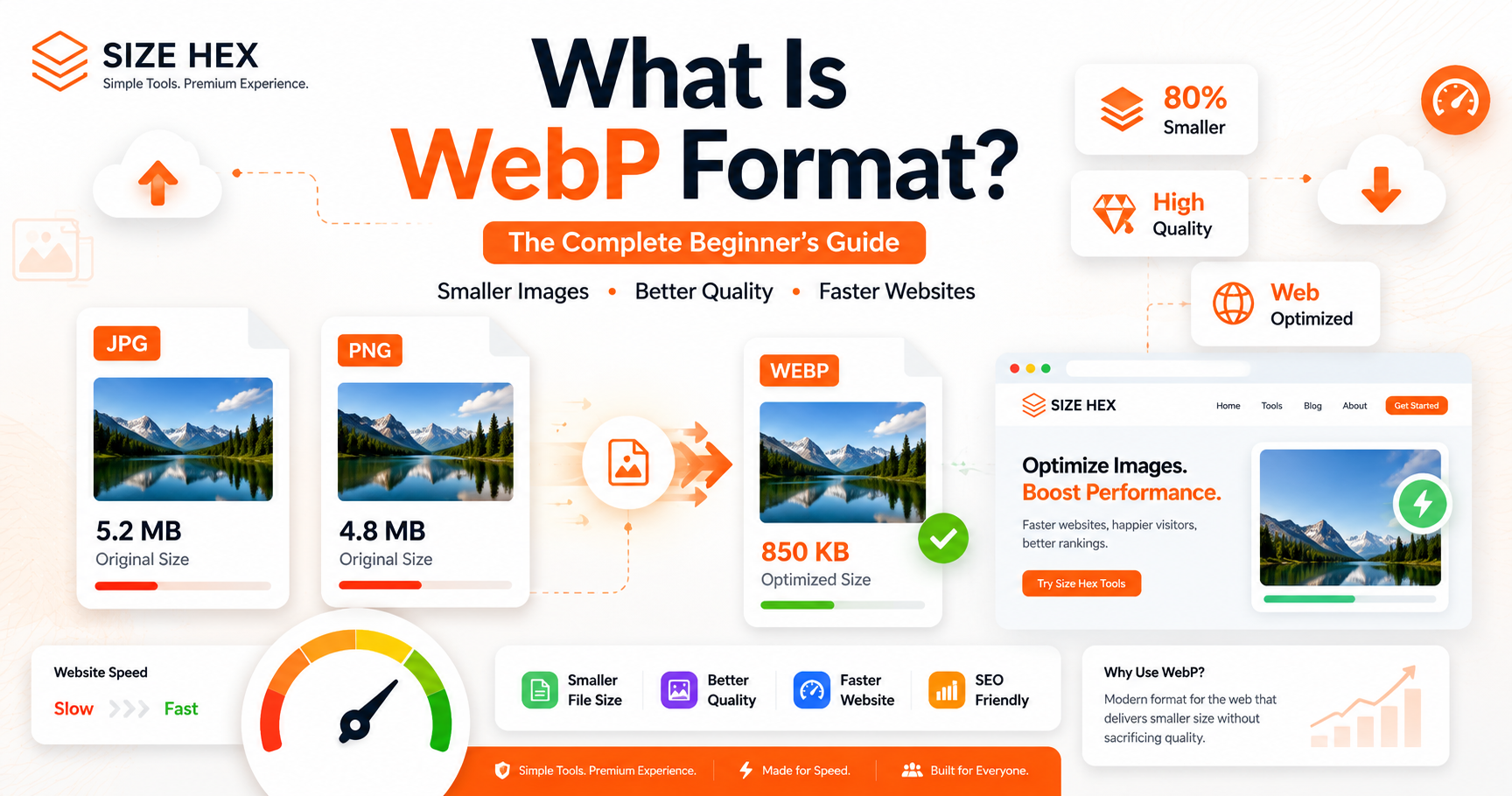
What Is WebP Format? The Complete Beginner's Guide
If you've ever optimized images for a website, blog, online store, or portfolio, you've probably heard about the WebP image format.
Many developers and SEO experts recommend using WebP instead of traditional image formats like JPG and PNG. But what exactly is WebP, and why has it become one of the most popular image formats for modern websites?
The answer is simple.
WebP is designed to create smaller image files without sacrificing visual quality. Smaller images help websites load faster, reduce bandwidth usage, and provide a better experience for visitors.
Whether you're a blogger, web developer, graphic designer, freelancer, student, or business owner, understanding WebP can help you optimize your images more efficiently.
In this guide, you'll learn what the WebP format is, how it works, its advantages, when to use it, and why many websites are switching to it.
What Is WebP Format?
WebP is a modern image format developed by Google to reduce image file sizes while maintaining high visual quality.
Unlike older formats, WebP supports both lossy and lossless compression. This means you can create lightweight images without noticeable quality loss.
The main goal of WebP is simple:
- Reduce image size
- Maintain excellent image quality
- Improve website performance
- Speed up page loading
Because of these benefits, WebP has become the preferred image format for many modern websites.
Why Did Google Create WebP?
Before WebP became available, most websites used JPG and PNG images.
Although these formats are still useful, they have limitations.
JPG produces relatively small files but doesn't support transparency.
PNG supports transparency but often creates much larger file sizes.
Google wanted a format that combined the advantages of both while producing even smaller files.
That's how WebP was introduced.
Today, almost every modern browser supports WebP, making it a practical choice for websites and online applications.
How Does WebP Work?
WebP uses advanced compression technology to remove unnecessary image data while preserving the details people actually notice.
Instead of storing every pixel inefficiently, WebP compresses images more intelligently.
The result is:
- Smaller file sizes
- Faster downloads
- Better website performance
- High-quality images
For website owners, this means visitors spend less time waiting for pages to load.
Benefits of Using WebP Images
Smaller File Sizes
One of the biggest reasons people use WebP is its impressive compression.
Compared with JPG and PNG, WebP images are often much smaller while maintaining similar quality.
Smaller images improve loading speed and reduce storage requirements.
Faster Website Performance
Website speed has become increasingly important.
Large images are one of the biggest reasons websites become slow.
Using WebP helps pages load faster, improving the overall browsing experience.
Better User Experience
Nobody enjoys waiting for images to load.
Optimized WebP images display quickly on both desktop and mobile devices, helping users access content faster.
Better SEO
Although WebP itself isn't a direct ranking factor, faster-loading images contribute to better website performance.
Optimized images reduce page weight, improve Core Web Vitals, and create a better experience for visitors.
Supports Transparency
Unlike JPG, WebP supports transparent backgrounds.
This makes it suitable for:
- Logos
- Icons
- Product images
- Website graphics
- UI elements
Many designers now replace PNG files with WebP to reduce file size while keeping transparency.
WebP vs JPG
Both formats are excellent, but they serve slightly different purposes.
| Feature | WebP | JPG |
|---|---|---|
| File Size | Smaller | Larger |
| Image Quality | Excellent | Excellent |
| Transparency | Yes | No |
| Website Performance | Better | Good |
| Compression | Better | Standard |
For most websites, WebP provides a better balance between quality and performance.
WebP vs PNG
PNG remains popular for graphics and transparent images.
However, PNG files are often much larger than WebP.
If transparency is required but file size matters, WebP is usually the better option.
Can You Convert JPG to WebP?
Yes.
Converting JPG images into WebP is one of the easiest ways to improve website performance.
Before converting, it's also recommended to resize oversized images using Image Resizer.
https://sizehex.com/image-resizer.html
After resizing, convert the image using the WebP Converter.
https://sizehex.com/webp-converter.html
This simple workflow produces smaller, faster-loading images.
Can You Convert PNG to WebP?
Absolutely.
If you have PNG images that don't require maximum compatibility with older software, converting them to WebP is an excellent choice.
Many PNG files are significantly larger because they store more image data, especially when transparency is involved. WebP can preserve transparency while reducing file size considerably.
This makes WebP ideal for:
- Website logos
- Icons
- Product images
- UI graphics
- Transparent illustrations
If your PNG images are very large, compress them first using the Image Compressor before converting them.
Image Compressor
After compression, convert them using the WebP Converter.
https://sizehex.com/webp-converter.html
Is WebP Good for SEO?
One of the most common questions people ask is whether WebP improves SEO.
The short answer is yes, but not directly.
Google doesn't rank a page higher simply because it uses WebP images. However, WebP helps improve several important performance metrics that contribute to a better user experience.
Optimized WebP images can help with:
- Faster page loading
- Reduced bandwidth usage
- Better Core Web Vitals
- Improved mobile performance
- Lower bounce rates
- Better overall website experience
Since website speed plays an important role in user satisfaction, using WebP is considered a smart SEO practice.
Who Should Use WebP?
WebP is suitable for almost everyone who works with digital images.
Bloggers
Bloggers publish images regularly.
Using WebP keeps blog posts lightweight and improves page speed.
Website Developers
Developers use WebP to build faster and more optimized websites.
Smaller image files reduce server load and improve loading performance.
Graphic Designers
Designers can export graphics with transparency while keeping file sizes much smaller than PNG.
E-commerce Stores
Online stores usually contain hundreds of product images.
Replacing JPG and PNG files with WebP helps product pages load much faster.
Digital Marketers
Landing pages with optimized images generally provide a smoother browsing experience, especially for mobile users.
Common Mistakes to Avoid
Many beginners make simple mistakes when working with WebP images.
Converting Low-Quality Images
WebP cannot improve poor-quality images.
Always start with the highest-quality original image available.
Skipping Image Resizing
Converting a huge image directly to WebP isn't always enough.
Resize oversized images first using the Image Resizer.
https://sizehex.com/image-resizer.html
Ignoring Compression
For the best results, compress images before converting them.
The recommended workflow is:
Resize Image
↓
Compress Image
↓
Convert to WebP
Using the Wrong Image Format
Although WebP is excellent for most websites, there are situations where JPG or PNG may still be better choices.
Choose the format based on your project's requirements.
If you need to switch between different formats, use the Image Converter.
https://sizehex.com/image-converter.html
Best Practices for Using WebP
To get the best results, follow these recommendations.
- Resize images before uploading.
- Compress large files whenever possible.
- Convert images to WebP for websites.
- Keep original image backups.
- Test page speed after optimization.
- Optimize every uploaded image instead of only large ones.
Following these habits will improve both website performance and storage efficiency.
Why Use SizeHex?
SizeHex makes image optimization simple, fast, and accessible.
Instead of downloading software, you can optimize images directly in your browser.
With SizeHex, you can:
- Compress images
- Resize images
- Convert JPG to WebP
- Convert PNG to WebP
- Convert between image formats
- Crop images
- Generate QR codes
Everything works online without software installation.
Related Tools
Image Compressor
Image Resizer
https://sizehex.com/image-resizer.html
WebP Converter
https://sizehex.com/webp-converter.html
Image Converter
https://sizehex.com/image-converter.html
Image Cropper
https://sizehex.com/image-crop.html
QR Generator
https://sizehex.com/qr-generator.html
Frequently Asked Questions
Is WebP better than JPG?
For most websites, yes. WebP usually produces smaller file sizes while maintaining excellent image quality.
Is WebP better than PNG?
If you need transparency with better compression, WebP is often the better choice.
Can I convert JPG to WebP for free?
Yes. You can easily convert JPG images into WebP online using the SizeHex WebP Converter.
Does WebP reduce image quality?
Not necessarily. Modern WebP compression maintains excellent visual quality while significantly reducing file size.
Which browsers support WebP?
Modern browsers such as Chrome, Firefox, Edge, Safari, and Opera fully support WebP images.
Should I convert all website images to WebP?
For most websites, yes. However, keep original images as backups if you need them later.
Conclusion
WebP has become one of the best image formats for modern websites because it combines excellent image quality with significantly smaller file sizes.
Whether you're managing a blog, running an online business, building a portfolio, or creating digital content, using WebP can help improve website speed, reduce storage usage, and create a better experience for visitors.
To achieve the best results, resize large images, compress them properly, and then convert them to WebP before uploading them to your website.
Making image optimization part of your regular workflow will help keep your website fast, efficient, and user-friendly.
Try SizeHex Today
Ready to optimize your images?
Start by compressing your images with the Image Compressor, resize them using the Image Resizer, and convert them into WebP using the WebP Converter—all directly in your browser.
Whether you're a blogger, designer, developer, student, freelancer, or business owner, SizeHex provides fast, free, and privacy-friendly tools to simplify your image optimization workflow.