September 10, 2026
C2PA vs EXIF: What’s the Difference? A Complete Guide for 2026
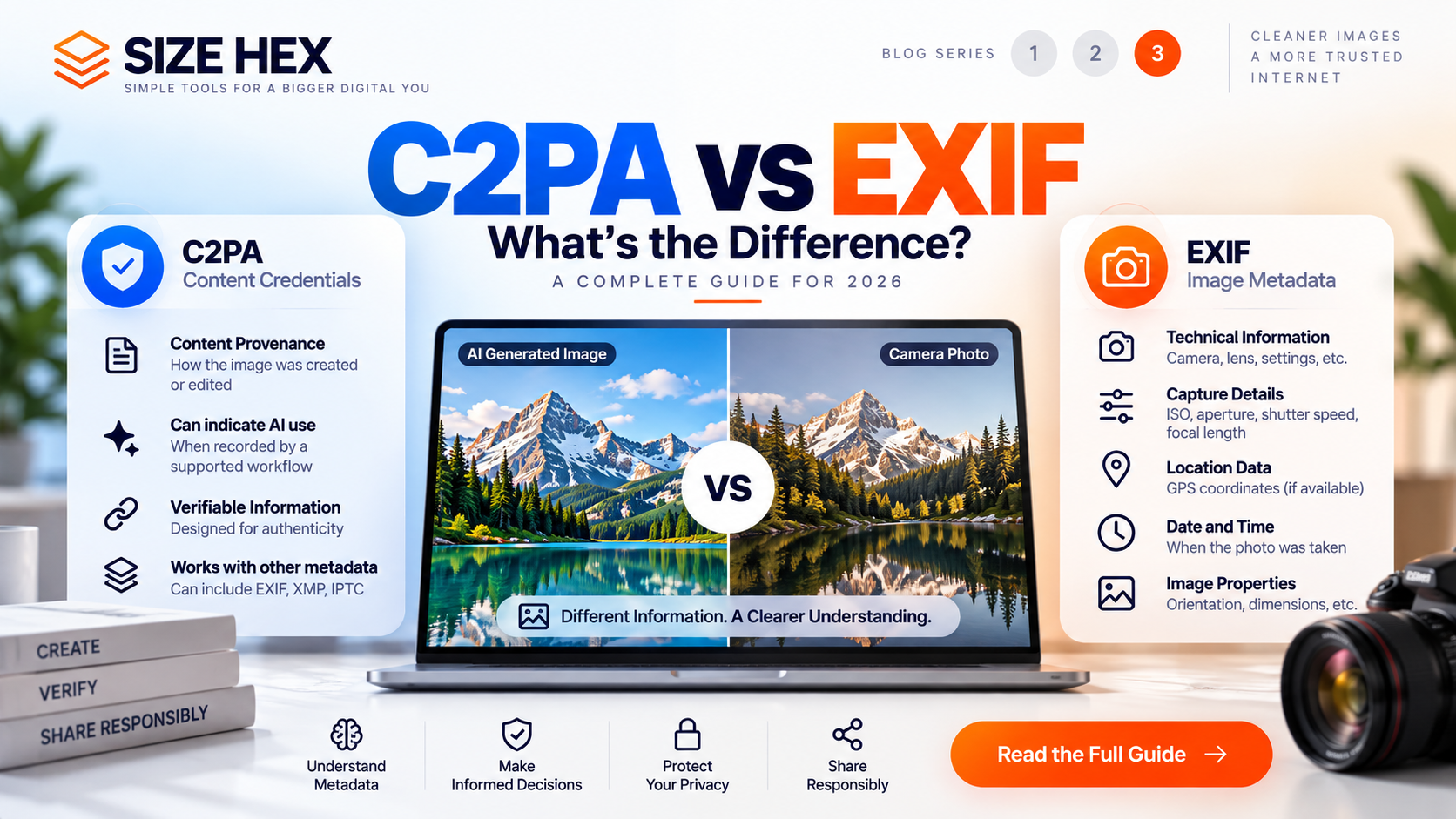
C2PA vs EXIF: What’s the Difference? A Complete Guide for 2026
Images contain more information than what you can see with your eyes.
When you take a photo, generate an image with AI, edit a graphic, or export an image from design software, the resulting file may contain metadata. This metadata can provide information about the image, its technical properties, or aspects of how the content was created and modified.
Two terms that often appear in discussions about image metadata are C2PA and EXIF.
They are related to the broader world of digital image information, but they are not the same thing.
EXIF is primarily associated with technical and capture-related information stored in image files. C2PA is a provenance framework designed to communicate verifiable information about the origin and history of digital content.
Understanding the difference becomes especially important with AI-generated images, where provenance and content transparency are becoming increasingly relevant.
In this guide, we'll explain C2PA vs EXIF in simple terms, compare what each system does, explain what information they can contain, and show why you may encounter both in the same image.
What Is EXIF Metadata?
EXIF stands for Exchangeable Image File Format.
It is a metadata standard commonly used with digital images, particularly photographs captured by cameras and smartphones.
EXIF data can store technical information associated with an image. Depending on the device and software, this may include:
• Camera manufacturer and model
• Lens information
• Exposure settings
• Aperture
• ISO
• Shutter speed
• Focal length
• Image orientation
• Date and time information
• GPS coordinates, when location data is recorded
Not every image contains all of these fields.
The metadata available depends on the device, application, settings, and processing workflow used to create or export the image.
For example, a photograph taken with a smartphone may contain camera and orientation information. After editing or exporting the image through another application, some of that information may be changed or removed.
EXIF is therefore best understood as technical metadata associated with an image, rather than a complete record of the image's entire history.
What Is C2PA?
C2PA stands for Coalition for Content Provenance and Authenticity.
C2PA provides a technical standard for creating and verifying provenance information associated with digital content.
Instead of primarily describing camera settings or image-capture characteristics, C2PA focuses on the history and provenance of digital content.
A C2PA Content Credential can contain structured information about actions performed on an asset and relationships between the content and its source or editing process.
This makes C2PA particularly relevant to modern digital workflows involving:
• AI-generated images
• AI-edited images
• Digital photography
• Graphic design
• Video
• Publishing
• Content creation
For AI-generated content, supported workflows can include information indicating that generative AI was involved in creating or modifying an asset.
C2PA vs EXIF: The Simple Difference
The easiest way to understand the difference is:
EXIF tells you about technical image information.
C2PA focuses on verifiable content provenance.
EXIF might tell you what camera was used and what settings were applied.
C2PA may describe how an asset was created or modified and provide a verifiable record of those actions.
They answer different questions.
For example:
EXIF: “What technical information is associated with this image?”
C2PA: “What provenance information is associated with this content?”
This is an oversimplification, but it provides a useful starting point.
C2PA and EXIF Can Exist Together
C2PA and EXIF are not competing metadata formats where you must choose one or the other.
An image can contain EXIF information and C2PA-related provenance information at the same time.
C2PA is designed to work with existing metadata ecosystems, including EXIF, XMP, and IPTC.
This means a photograph could contain traditional camera metadata while also carrying provenance information describing subsequent editing or processing.
For example, imagine you take a photograph with a smartphone and then edit it using supported software.
The image could potentially contain:
EXIF information → camera and capture-related data
C2PA information → provenance information describing supported creation or editing actions
The two systems can therefore complement each other.
Why Is C2PA Important for AI Images?
EXIF has traditionally been associated with photography and technical image information.
C2PA becomes particularly interesting when dealing with AI-generated and AI-modified content because provenance can communicate information about the content creation workflow.
For example, a supported AI workflow could create Content Credentials indicating that generative AI was used.
This can provide additional context to people or systems inspecting the asset.
However, C2PA should not be confused with an AI detector.
The absence of C2PA information does not prove that an image was created by a human.
Likewise, the presence of C2PA information does not mean that every aspect of the image can automatically be considered authentic or factually accurate.
C2PA is fundamentally about provenance information, not universal AI detection or truth verification.
Is C2PA Just Another Type of EXIF?
No.
Although both can be associated with image metadata, they have different purposes.
EXIF was designed around exchanging metadata associated with digital images, especially information generated by cameras and imaging devices.
C2PA was designed around content provenance and authenticity.
C2PA can also work with metadata from established systems such as EXIF, XMP, and IPTC.
So a useful way to think about the relationship is:
EXIF = image and capture metadata
C2PA = content provenance
Both = information that can accompany a digital asset
This distinction becomes increasingly important as images move through multiple creation, editing, and publishing workflows.
What Information Does EXIF Usually Contain?
EXIF information varies from image to image, but common categories include:
Camera Information
The camera manufacturer, model, and sometimes lens-related information may be recorded.
Capture Settings
Exposure-related values such as ISO, shutter speed, aperture, and focal length can sometimes be included.
Date and Time
Some images contain capture date and time information.
Orientation
The metadata can indicate how the image should be displayed.
Location
GPS coordinates may be included when location information has been recorded by the device.
This is one reason metadata awareness matters for privacy.
Before publicly sharing an original photograph, it can be useful to understand what information is attached to the file.
What Information Can C2PA Contain?
C2PA information depends on the implementation and the workflow that created the Content Credential.
It can contain provenance-related assertions describing actions and relationships associated with the asset.
Examples can include:
• Creation actions
• Editing actions
• Source or ingredient relationships
• Software or tools involved in supported actions
• AI-related creation or editing information
• Other provenance assertions
The exact information is not universal.
A C2PA credential does not automatically contain every detail about an image or its creator. It contains the provenance information that the participating workflow records.
That distinction is important when interpreting C2PA data.
The key takeaway: EXIF and C2PA can both provide valuable information about an image, but they are designed to answer different questions. EXIF is primarily focused on image and capture metadata, while C2PA is focused on verifiable content provenance.
How C2PA and EXIF Work Differently
Although C2PA and EXIF can exist within the same digital asset, they serve different purposes.
EXIF primarily describes information associated with the image file and, especially for photographs, the device and conditions involved in capturing the image.
C2PA focuses on provenance: what happened to the content and what information a participating workflow records about its creation or modification.
This difference becomes easier to understand when you follow an image through a real-world workflow.
Imagine taking a photograph with a smartphone.
The original image may contain EXIF information such as the phone model, orientation, exposure settings, and capture time.
Now imagine opening that photograph in a supported editing application and making changes.
A C2PA-enabled workflow can potentially record information about that editing action in the asset's provenance.
The result can therefore contain both types of information.
EXIF can describe the photograph's technical characteristics.
C2PA can describe relevant provenance events.
C2PA vs EXIF: Key Differences
Purpose
EXIF: Primarily stores technical and capture-related image information.
C2PA: Provides a framework for recording and verifying digital content provenance.
Typical Use
EXIF: Digital cameras, smartphones, photography workflows, and image-processing software.
C2PA: Photography, AI-generated content, editing workflows, publishing, and digital media provenance.
AI Information
EXIF: Does not inherently function as an AI provenance system.
C2PA: Can communicate AI-related creation or editing actions when recorded by a supported workflow.
Verification
EXIF: Metadata fields are generally not designed to provide the same cryptographic provenance verification as C2PA.
C2PA: Content Credentials are designed to provide verifiable provenance information.
Editing History
EXIF: May contain technical or software-related fields, but it is not designed as a complete editing history.
C2PA: Can record supported actions and provenance events associated with the content.
Relationship to Other Metadata
EXIF: Is one established image metadata system.
C2PA: Can work with existing metadata ecosystems, including EXIF, XMP, and IPTC.
This comparison highlights why C2PA and EXIF should not be treated as interchangeable terms.
Can an Image Have EXIF but No C2PA?
Yes.
This is very common.
A photograph captured with a digital camera or smartphone may contain EXIF metadata without having any C2PA Content Credentials.
For example, a camera can record:
• Camera model
• Lens information
• ISO
• Aperture
• Shutter speed
• Focal length
• Orientation
• Date and time
None of this automatically means that the image has C2PA provenance information.
C2PA depends on whether the creation, editing, or publishing workflow supports and records Content Credentials.
Can an Image Have C2PA but No EXIF?
Yes.
C2PA and EXIF are separate systems.
An image can have C2PA-related provenance information without containing traditional camera EXIF data.
This is especially relevant for digitally created images.
For example, an AI-generated image may not originate from a physical camera, so traditional camera-related EXIF information may be absent.
A supported AI workflow could still attach C2PA Content Credentials describing the creation process.
Therefore, checking for EXIF metadata alone is not enough to determine whether an image has C2PA information.
Can an Image Have Both C2PA and EXIF?
Yes.
An image can contain both.
Consider a photograph that was captured using a camera and subsequently edited in a C2PA-supported application.
The file may potentially contain:
EXIF → information about the original capture and image characteristics.
C2PA → provenance information about supported creation or editing actions.
This is one of the most important concepts to understand when comparing C2PA vs EXIF.
They are not necessarily alternatives.
They can work alongside each other.
C2PA vs EXIF for AI-Generated Images
The difference becomes even more important when working with AI-generated images.
An AI image may not have conventional camera information because there was no physical camera involved in its creation.
However, a supported AI-generation workflow can record provenance information using C2PA.
This means that C2PA can provide a type of information that traditional EXIF metadata was not designed specifically to communicate.
For example:
EXIF might answer:
“What camera captured this photograph?”
C2PA might answer:
“What recorded creation or editing actions are associated with this digital asset?”
For an AI-generated image, the second question can be particularly relevant.
However, C2PA availability depends on the tools and workflow involved.
Not every AI image automatically contains Content Credentials.
Does C2PA Replace EXIF?
No.
C2PA does not simply replace EXIF.
Both technologies can serve different purposes within the same digital workflow.
EXIF remains useful for technical and capture-related information.
C2PA provides a framework for provenance and authenticity information.
In some workflows, C2PA can incorporate or reference information from existing metadata systems. This allows different types of information to work together rather than requiring one standard to completely replace another.
A modern image workflow may therefore involve several metadata technologies at once.
C2PA vs EXIF for Privacy
Privacy is another area where the distinction matters.
EXIF metadata can sometimes contain sensitive information such as GPS coordinates.
For example, a photograph taken on a smartphone may contain location information if the device recorded it.
C2PA has a different purpose, but its provenance information can also contain details associated with the content workflow.
This does not mean that all C2PA information is sensitive or that all EXIF information should be removed.
Instead, it means that you should understand what information is attached to an image before sharing it.
If privacy is important, inspect the file first and decide which metadata should be preserved or removed.
Why You Should Not Automatically Remove All Metadata
It can be tempting to remove every piece of metadata from an image.
But metadata is not inherently bad.
Some metadata can be useful.
EXIF can help photographers organize and understand their images.
C2PA can help creators communicate provenance.
Publishing workflows can use metadata for asset management.
Removing metadata can therefore remove useful information along with information you may not want to share.
A better approach is:
Inspect → Understand → Decide → Create a Clean Copy if Needed
This gives you control without unnecessarily destroying the original information.
How to Check C2PA and EXIF Separately
If you want to understand everything associated with an image, check both systems.
For EXIF, use an image metadata viewer that can display technical fields.
For C2PA, use a C2PA-aware viewer or Content Credentials verification workflow.
Do not assume that one inspection method automatically covers the other.
An image can contain EXIF without C2PA.
It can contain C2PA without EXIF.
Or it can contain both.
Understanding this distinction is essential when analyzing AI-generated images and modern digital media.
C2PA and EXIF in a Modern Image Workflow
A typical workflow might look like this:
Capture
A camera or smartphone creates an image and records EXIF information.
↓
Edit
An image editor modifies the photograph.
↓
Provenance
A C2PA-supported workflow records relevant creation or editing information.
↓
Export
The image is exported for publishing or sharing.
↓
Inspection
The final file can be checked for both traditional metadata and Content Credentials.
This workflow demonstrates why C2PA and EXIF should be viewed as complementary technologies rather than competing ones.
The important question is not simply “Which one is better?”
The better question is:
“What information do I need from this image, and which metadata system provides it?”
Which Is More Important: C2PA or EXIF?
Neither is universally more important.
C2PA and EXIF solve different problems.
If you are a photographer, EXIF may be more useful because it can preserve technical information about how a photograph was captured.
If you work with AI-generated or AI-edited content, C2PA may be more relevant because it can provide provenance information about supported creation and editing workflows.
For many modern digital workflows, both can be useful.
The right choice depends on what you are trying to understand, preserve, or share.
How to Check C2PA and EXIF Metadata
If you want to inspect an image, start with the original file.
For EXIF, use a metadata viewer that can display camera and technical information.
For C2PA, use a C2PA-aware viewer or Content Credentials verification tool.
Check the results separately because the presence of EXIF information does not automatically mean that C2PA information exists.
Likewise, finding C2PA Content Credentials does not mean that the image must contain traditional EXIF information.
If you work regularly with AI-generated images, checking C2PA can provide additional context about the provenance information associated with the file.
What Happens When You Remove EXIF Metadata?
Removing EXIF metadata generally targets the metadata associated with the image rather than the visible image itself.
For example, removing EXIF may eliminate fields such as camera information, capture dates, or GPS information when those fields are present and targeted by the cleaning process.
It does not automatically remove C2PA Content Credentials.
This is an important distinction.
Removing EXIF ≠ Removing C2PA
If you need to clean both types of information, you should use a workflow that specifically supports the metadata you want to remove.
What Happens When You Remove C2PA Metadata?
C2PA metadata removal targets supported provenance information associated with the asset.
It does not change the fact that the image was originally created or edited in a particular way.
It also does not remove visible watermarks, logos, or text that are part of the image pixels.
If provenance information is important to your workflow, keep the original image before creating a cleaned copy.
Should You Remove C2PA or EXIF Metadata?
There is no universal rule that says metadata should always be removed.
Instead, consider why you are sharing the image.
You may want to preserve EXIF when camera information is useful for photography workflows.
You may want to preserve C2PA when provenance and content transparency are important.
You may want to create a cleaned copy when you have a legitimate privacy or workflow reason to remove unnecessary metadata.
The best approach is to inspect the file first and make an informed decision.
C2PA vs EXIF: Quick Comparison
EXIF
Purpose: Technical and capture-related image metadata
Commonly associated with: Cameras and smartphones
Examples: Camera model, ISO, aperture, shutter speed, orientation, GPS
AI provenance: Not its primary purpose
Verification: Not designed as a complete cryptographic provenance system
C2PA
Purpose: Digital content provenance
Commonly associated with: Digital media, AI-generated content, editing and publishing workflows
Examples: Creation actions, editing actions, source relationships, AI-related provenance information
AI provenance: Can communicate AI-related actions when recorded by a supported workflow
Verification: Designed for verifiable Content Credentials
Can C2PA and EXIF Be Removed Together?
Potentially, yes.
A metadata-cleaning workflow can target multiple types of metadata depending on the capabilities of the tool.
However, you should not assume that removing one automatically removes the other.
If your goal is broader image privacy, identify the metadata categories you want to remove and use a tool that explicitly supports them.
Always keep the original file when you may need the metadata or provenance later.
C2PA vs EXIF for Website Images
When preparing images for a website, both C2PA and EXIF can be relevant, but they serve different purposes from image optimization.
Metadata is separate from common optimization tasks such as resizing, compression, and format conversion.
For example, you might:
Create an image → Check metadata → Clean metadata if necessary → Resize → Compress → Convert format → Publish
The exact order can depend on your workflow and the tools being used.
If you are optimizing an image for website performance, remember that metadata cleaning is not the same thing as image compression.
Removing metadata may reduce some file overhead, but it should not be treated as a replacement for proper image optimization.
C2PA vs EXIF for AI Images: What Should You Check?
If you work with AI-generated images, a useful checklist is:
• Check whether Content Credentials are available
• Check whether traditional metadata is present
• Understand what the C2PA information says
• Check whether the credentials can be verified
• Keep the original image
• Decide whether provenance should be preserved
• Create a separate cleaned copy if necessary
• Check the final output before publishing
This approach gives you more control over your digital assets without treating all metadata as unnecessary.
Frequently Asked Questions
What is the main difference between C2PA and EXIF?
EXIF is primarily used for technical and capture-related image metadata, while C2PA provides a framework for recording and verifying digital content provenance.
Is C2PA better than EXIF?
No. They are designed for different purposes. EXIF is useful for technical image information, while C2PA focuses on content provenance.
Can an image have both C2PA and EXIF?
Yes. An image can contain both C2PA-related provenance information and traditional EXIF metadata.
Can an image have EXIF but no C2PA?
Yes. A photograph can contain EXIF metadata without having C2PA Content Credentials.
Can an image have C2PA but no EXIF?
Yes. C2PA and EXIF are separate systems, so an image can contain C2PA provenance information without traditional camera EXIF metadata.
Does EXIF show whether an image was created by AI?
Not necessarily. EXIF was not designed as a universal AI-content detection system.
Does C2PA detect AI-generated images?
C2PA is primarily a provenance framework, not a universal AI detector. A supported Content Credential can communicate AI-related creation or editing information when that information is recorded by the workflow.
Does removing EXIF remove C2PA?
No. EXIF and C2PA are different systems. Removing EXIF does not automatically mean that C2PA Content Credentials have been removed.
Does removing C2PA remove EXIF?
Not necessarily. The result depends on the metadata-cleaning process and which metadata categories it targets.
Does removing C2PA or EXIF change the image itself?
Metadata removal targets information associated with the file. However, some tools may re-encode the image during processing, so always check the output if preserving image characteristics is important.
Can C2PA metadata contain EXIF information?
C2PA is designed to work with existing metadata ecosystems, including EXIF, XMP, and IPTC. The exact information included depends on the implementation and workflow.
Should I remove metadata before uploading an image?
Not always. First consider whether the metadata is useful, required, or important for provenance. If privacy is the concern, inspect the file and create a separate cleaned copy when appropriate.
How can I remove C2PA and image metadata?
Use a metadata-cleaning tool that explicitly supports the information you want to remove. SizeHex provides a browser-based tool for cleaning supported image metadata.
Remove Image Metadata with SizeHex
If you have compared C2PA and EXIF and decided that you need a metadata-clean version of your image, you can use the SizeHex AI Image Watermark Remover.
The tool is designed for supported JPG, PNG, and WebP files and focuses on hidden image metadata and C2PA-related information.
It is important to understand what the tool does not do.
It does not remove visible text, logos, or watermarks that are physically part of the image.
The goal is metadata cleaning, not visible watermark editing.
You can use the tool here:
https://sizehex.com/ai-image-watermark-remover
For important files, keep the original before processing.
Conclusion
C2PA and EXIF are both important technologies in the world of digital images, but they answer different questions.
EXIF is primarily associated with technical and capture-related information.
C2PA focuses on digital content provenance and verifiable Content Credentials.
An image can contain EXIF, C2PA, both, or neither.
That is why checking one does not automatically tell you everything about the other.
For photographers, EXIF can provide valuable information about how an image was captured. For AI-generated and digitally edited content, C2PA can provide additional provenance information when the relevant workflow supports it.
The key takeaway is simple:
EXIF tells you more about the image and its capture. C2PA tells you more about the content's recorded provenance.
Understanding this difference helps you make better decisions about image privacy, AI-generated content, metadata cleaning, and digital publishing.
Why Choose SizeHex?
SizeHex provides simple browser-based tools for common image workflows.
If you need to create a metadata-clean copy of a supported image, the SizeHex AI Image Watermark Remover provides a straightforward workflow for cleaning supported hidden image metadata and C2PA-related information.
You can use it without installing traditional desktop software.
Keep your original file when provenance or metadata may be important, and use the cleaned version only when appropriate for your workflow.
Related Tools
AI Image Watermark Remover
https://sizehex.com/ai-image-watermark-remover
Image Compressor
https://sizehex.com/
Image Converter
https://sizehex.com/image-converter
WebP Converter
https://sizehex.com/webp-converter
HEIC to JPG Converter
https://sizehex.com/heic-converter