September 8, 2026
How to Remove C2PA Metadata from AI-Generated Images in 2026
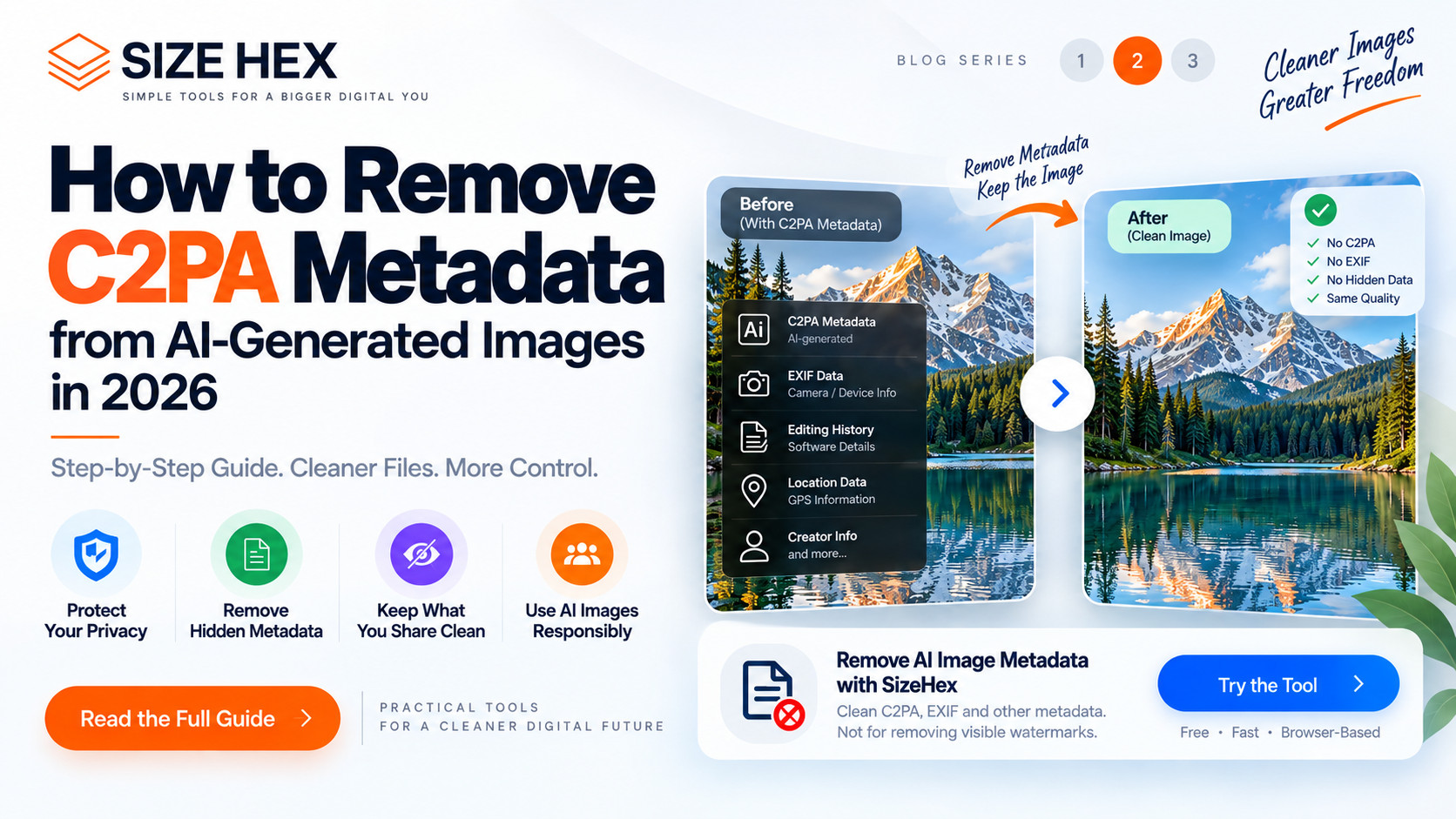
How to Remove C2PA Metadata from AI-Generated Images in 2026
If you create images with AI tools, you may have noticed that some files contain more than just pixels. Depending on how an image was created or processed, it can carry metadata or Content Credentials that provide information about its provenance, creation, or editing history.
C2PA is an open technical standard designed to make this type of provenance information verifiable. C2PA Content Credentials can record information about how digital content was created or modified, including signals related to AI-generated or AI-modified content. C2PA
For some workflows, keeping this information is useful. For others, you may want to create a cleaner copy of an image before sharing it, uploading it to another service, or using it in a workflow where embedded metadata is unnecessary.
In this guide, you'll learn what C2PA metadata is, why someone might want to remove it, what metadata removal actually changes, and how to remove C2PA-related metadata from an AI-generated image responsibly.
What Is C2PA Metadata?
C2PA stands for Coalition for Content Provenance and Authenticity. It is the name of the technical standard and the organization developing the Content Credentials ecosystem.
The purpose of C2PA is to provide a verifiable way to describe the provenance of digital content. In simple terms, it can help document information about where an asset came from and what happened to it during its creation or editing process. C2PA
For AI-generated images, Content Credentials can be used to communicate that generative AI was involved in creating or modifying the asset. The C2PA's current guidance includes machine-readable signals for AI content and supports documenting information about the generation process. C2PA
This information is not the same thing as a visible watermark.
A visible watermark is something you can see directly on the image, such as text, a logo, or a graphic overlay.
C2PA information is associated with the digital asset as provenance data. Depending on the implementation and file format, it can be embedded in the asset or associated through other mechanisms.
C2PA and EXIF Metadata Are Not the Same
One of the most important things to understand before removing image metadata is that C2PA and EXIF are different systems.
EXIF metadata is commonly associated with information such as camera settings, capture date, orientation, and sometimes location information.
C2PA, on the other hand, is designed specifically around verifiable content provenance. It can contain assertions describing actions, ingredients, creation information, and other provenance-related details.
The C2PA specification also supports interaction with existing metadata standards such as EXIF, IPTC, and XMP. C2PA
That means removing EXIF data is not necessarily the same as removing C2PA Content Credentials.
If your goal is specifically to remove C2PA metadata from an AI-generated image, you need a workflow designed to handle the relevant provenance information rather than simply changing the filename or converting the image format.
Why Would You Want to Remove C2PA Metadata?
There are several legitimate reasons someone may want a metadata-clean version of an image.
Privacy is one common reason.
Image files can contain information that users may not want to distribute with a copy of the image. C2PA's own guiding principles recognize privacy as an important consideration and state that C2PA-aware workflows should give users control over what information is captured and stored. C2PA
Another reason is workflow compatibility.
You may be preparing an image for a platform, application, archive, or publishing workflow that does not need provenance information attached to the file.
You may also simply want a clean derivative copy while keeping the original file untouched.
However, removing provenance information can have consequences.
If the C2PA information helps communicate how an image was created or modified, removing it can reduce the amount of verifiable provenance available to people or systems that inspect the file.
For that reason, metadata removal should be treated as a deliberate file-cleaning step rather than a way to change the actual origin of an image.
What Happens When You Remove C2PA Metadata?
Removing C2PA metadata does not magically change the pixels of an image into something different.
The visible image can remain visually identical while associated metadata or provenance information is removed.
However, there is an important distinction between the visual content and the information attached to that content.
For example, removing metadata will not:
• Remove visible text from an image
• Erase a logo printed onto the image
• Remove a visible stock-photo watermark
• Change the actual pixels into a non-AI image
• Prove that an image was never generated or edited with AI
It is simply a metadata-cleaning operation.
C2PA itself also supports mechanisms designed to make credentials more durable. Its documentation explains that Content Credentials can use soft bindings such as invisible watermarking or fingerprinting to help rediscover associated credentials if they are separated from the original file. C2PA
This is why it is important to understand exactly what a particular metadata-removal workflow does before assuming that all provenance traces have disappeared everywhere.
The safest approach: keep your original file, create a separate cleaned copy, and clearly understand what information the cleaning process removes.
How to Remove C2PA Metadata from an AI-Generated Image
If you have decided that you want a metadata-clean copy of an AI-generated image, the process can be straightforward. The important part is understanding what you are actually removing.
C2PA Content Credentials are designed to carry verifiable provenance information, and C2PA allows creators and publishers to remove sensitive information in appropriate workflows. C2PA
Here is a practical workflow you can follow.
Step 1: Keep the Original Image
Before removing any metadata, make a copy of your original image.
This is important because the original may contain useful provenance information that you want to preserve for your own records.
For example, you might keep:
Original-AI-image.jpg
and create:
Cleaned-AI-image.jpg
This gives you two versions: the original with its existing metadata and a separate copy for sharing or other workflows.
Step 2: Choose a C2PA or Image Metadata Removal Tool
The next step is to use a tool that is designed to process image metadata and C2PA-related information.
A normal image compressor or simple file renaming tool will not necessarily remove C2PA Content Credentials.
The tool should clearly explain what information it removes and how the image is processed.
For privacy-sensitive workflows, browser-based processing can also be useful because the image can be processed locally rather than being uploaded to a remote server.
Step 3: Upload or Select Your Image
Select the AI-generated JPG, PNG, or WebP image that you want to clean.
Depending on the tool, the file may be inspected for metadata before processing.
C2PA information can be associated with the asset through a C2PA Manifest, while C2PA also supports metadata assertions that can contain standardized metadata information. C2PA Specifications
This is why simply changing the extension or opening and saving an image is not a reliable way to understand or control its provenance data.
Step 4: Remove the Metadata
Once the image is processed, the metadata-clean version can be generated.
With a dedicated metadata-removal workflow, the goal is to remove the supported metadata or provenance information while preserving the visible image as closely as possible.
This does not mean that the image has been transformed into a different type of content.
The pixels are still the pixels of the original image.
Only the associated information being targeted by the cleaning process is removed.
Step 5: Download the Cleaned Copy
After processing, save the cleaned image as a separate file.
It is good practice to use a descriptive filename, such as:
ai-image-cleaned.jpg
or
product-image-no-metadata.jpg
Keep your original file separately if you may need its provenance information later.
Can You Remove C2PA Metadata Without Changing Image Quality?
Metadata removal and image compression are two different operations.
Removing metadata does not inherently require reducing the visual resolution or aggressively recompressing the image.
However, the exact result depends on how the particular tool processes and exports the file.
For example, if an application decodes an image and then re-encodes it as a JPEG, the output can involve a new compression step. Therefore, it is better to choose a workflow that clearly explains whether the image is being re-encoded.
If preserving the original visual characteristics is important, compare the cleaned copy with the original before using it publicly.
C2PA Metadata Removal vs EXIF Removal
These two terms are often used interchangeably, but they should not be treated as identical.
EXIF removal focuses on EXIF metadata associated with an image.
C2PA removal focuses on C2PA Content Credentials or related provenance information.
C2PA is designed to interoperate with existing metadata systems such as EXIF, XMP, and IPTC, and those formats can be represented within Content Credentials. C2PA
So if your objective is broader privacy cleaning, you may need to consider multiple metadata categories rather than focusing exclusively on C2PA.
What Happens If C2PA Metadata Is Removed?
Removing C2PA information can make the original embedded provenance information unavailable to a normal C2PA-aware reader.
However, this does not necessarily mean that every possible association with the asset disappears.
C2PA supports durable Content Credentials through mechanisms such as soft bindings, which can help systems rediscover associated credentials when they have been separated from the original file. C2PA
Therefore, avoid describing metadata removal as a guaranteed method for making an image completely untraceable or anonymous.
A more accurate description is:
C2PA metadata removal creates a version of the image with the targeted embedded provenance or metadata information removed.
That distinction matters, especially when discussing privacy, AI-generated content, and digital provenance.
How to Remove C2PA Metadata Online
If you want a simple browser-based workflow, you can use SizeHex AI Image Watermark Remover to clean supported image metadata directly in your browser.
The tool is designed to remove hidden image metadata and C2PA-related information from supported image files. It is important to understand that this tool does not remove visible watermarks, logos, or text that are physically part of the image pixels.
For a privacy-focused workflow, the basic process is:
Select your AI-generated image → Process the file → Download the cleaned version → Keep the original separately.
This approach is useful when your goal is to create a clean derivative image rather than modify the visible artwork itself.
Important: Always check the terms and policies of the AI platform, publishing service, or other workflow where you plan to use the cleaned image. C2PA's own guidance emphasizes transparency and user control around provenance information. C2PA
PART 3
Best Practices When Removing C2PA Metadata
Removing C2PA metadata can be useful in certain privacy and file-cleaning workflows, but it should be done intentionally.
The most important practice is to keep your original file.
Your original image may contain provenance information that could be useful later. Create a separate cleaned copy rather than permanently overwriting the original.
It is also important to understand exactly what your tool removes. C2PA is designed to support verifiable provenance, and its specifications allow creators, editors, and publishers to remove sensitive information in appropriate circumstances. C2PA
At the same time, removing embedded provenance does not necessarily mean that every possible association with the content disappears. C2PA supports durable Content Credentials using mechanisms such as fingerprinting and invisible watermarking that can help credentials be rediscovered after metadata has been removed from an asset. C2PA
A good workflow is:
Original image → Keep as archive → Create a copy → Remove targeted metadata → Check the output → Use the cleaned copy
C2PA Metadata Removal Checklist
Before removing metadata from an AI-generated image, check the following:
• Keep the original image
• Confirm what metadata you actually want to remove
• Check whether the tool processes the file locally or remotely
• Understand whether the image is re-encoded during processing
• Compare the cleaned image with the original
• Check the output file format
• Review the AI platform's terms before publishing
• Follow applicable disclosure or legal requirements
• Do not assume metadata removal makes an image anonymous or untraceable
Remove C2PA Metadata Online with SizeHex
If you want a quick way to create a metadata-clean copy of an AI-generated image, you can use the SizeHex AI Image Watermark Remover.
The tool supports JPG, PNG, and WebP files and is designed to remove hidden metadata such as EXIF and C2PA-related information. The current SizeHex implementation processes the image in the browser rather than sending it to a remote server. SizeHex
You can use it here:
https://sizehex.com/ai-image-watermark-remover
One important distinction: despite the tool's name, it is designed for hidden metadata and digital provenance information, not visible watermarks. A visible logo, text watermark, or graphic that is part of the image pixels will not be erased simply by removing metadata. SizeHex
When Should You Keep C2PA Metadata?
You should not automatically remove provenance information from every image.
C2PA exists to help communicate where digital content came from and how it has been created or modified. The standard is specifically designed to make provenance information verifiable and tamper-evident. C2PA
Keeping C2PA information may therefore be useful when:
• You want to preserve the history of an asset
• You are publishing content where AI disclosure is important
• You work with a platform that supports Content Credentials
• You need an auditable content workflow
• You want others to verify the asset's provenance
Removing it may make more sense when:
• You are creating a privacy-focused derivative
• You are preparing a clean copy for a particular workflow
• You have a legitimate reason to remove unnecessary embedded information
• The destination does not require the provenance data
The right decision depends on the purpose of the image.
C2PA Metadata Removal vs Visible Watermark Removal
These are completely different operations.
C2PA Metadata Removal
Removes or cleans supported hidden provenance and metadata information associated with the digital file.
Visible Watermark Removal
Attempts to alter image pixels to remove visible text, logos, or other overlays.
If a watermark is physically visible inside the image, metadata cleaning will not remove it.
This distinction is especially important when searching for an "AI watermark remover." The term can refer to very different technologies and use cases.
Does Removing C2PA Metadata Make an AI Image Undetectable?
No.
Removing C2PA metadata should not be described as a guaranteed method for making an AI-generated image undetectable.
C2PA is a provenance system. It provides information that can help establish how content was created or modified, but the absence of C2PA data does not itself prove that an image was created by a human.
Likewise, provenance information alone cannot determine whether the underlying content is true or factually accurate. C2PA Specifications
Therefore, think of C2PA removal as metadata cleaning, not AI detection bypassing.
Does Removing C2PA Metadata Reduce Image Quality?
The act of removing metadata does not inherently require changing the visible image.
However, the result depends on the implementation. If a tool decodes and re-encodes the image during processing, the output can have different encoding characteristics.
For this reason, compare the cleaned file with the original when visual fidelity matters.
Is C2PA the Same as an Invisible Watermark?
No.
C2PA is a provenance framework that uses cryptographically verifiable manifests and related mechanisms.
C2PA can also support soft-binding technologies such as invisible watermarking or fingerprinting to help associate an asset with its Content Credentials after the embedded manifest has been separated from the file. C2PA
So C2PA metadata and invisible watermarking should not be treated as exactly the same thing.
Frequently Asked Questions
What is C2PA metadata?
C2PA metadata is provenance-related information associated with digital content through the C2PA Content Credentials framework. It can describe aspects of how an asset was created or modified and can be cryptographically verified. C2PA
Can you remove C2PA metadata from an image?
Yes. C2PA documentation explicitly recognizes that provenance metadata can be removed. C2PA also provides durable-credential mechanisms that can help associate credentials with an asset even after embedded metadata has been removed. C2PA Specifications
Can I remove C2PA metadata without removing the image itself?
Yes. Metadata removal targets information associated with the file rather than deleting the visual image itself. The exact result depends on the processing method.
Does removing C2PA remove a visible watermark?
No. Removing metadata does not erase visible text, logos, or watermarks that are part of the image pixels. SizeHex
Does C2PA removal make an AI-generated image human-made?
No. Removing provenance information does not change how the image was originally created.
Is C2PA the same as EXIF?
No. EXIF and C2PA are different metadata/provenance systems, although C2PA is designed to work with existing metadata ecosystems. C2PA
Can I remove C2PA metadata online?
Yes. Browser-based metadata-cleaning tools can create a cleaned copy of a supported image. SizeHex provides a browser-based tool for cleaning supported image metadata. SizeHex
Should I delete my original image after removing C2PA metadata?
It is generally better to keep the original if you may need its provenance information later. Use the cleaned image as a separate derivative.
Is C2PA removal the same as removing all metadata?
Not necessarily. A workflow may target C2PA while leaving other metadata, or it may remove multiple metadata categories. Always check what the specific tool actually removes.
Can C2PA metadata be recovered after removal?
In some workflows, C2PA's durable Content Credentials mechanisms can help rediscover associated credentials through soft bindings such as fingerprinting or invisible watermarking. C2PA
Conclusion
C2PA metadata is becoming an increasingly important part of the digital-content ecosystem, particularly as AI-generated and AI-modified media becomes more common. In 2026, C2PA's current guidance continues to focus on making AI involvement and content provenance more understandable through machine-readable, tamper-evident information. C2PA
Removing C2PA metadata can be appropriate when you intentionally need a cleaned copy of an image for privacy or workflow reasons.
But it is important to understand what the process actually does.
It removes targeted metadata or provenance information. It does not rewrite the history of the image, remove visible watermarks, or guarantee that an image can no longer be associated with provenance information elsewhere.
For the best workflow, keep your original, create a separate cleaned copy, understand what your metadata-removal tool does, and follow the terms and disclosure requirements relevant to your content.
If you need a quick browser-based way to clean supported AI-generated images, try the SizeHex AI Image Watermark Remover:
https://sizehex.com/ai-image-watermark-remover
Why Choose SizeHex?
SizeHex provides browser-based digital tools designed around simple file-processing workflows.
For AI image metadata cleaning, the tool supports JPG, PNG, and WebP and is designed to process the image locally in the browser. SizeHex
It can be useful when you want to:
• Remove supported hidden image metadata
• Clean C2PA-related information
• Remove EXIF information
• Create a separate metadata-clean copy
• Process images without a traditional server-upload workflow
As always, check the output and keep your original file when provenance information may be important.
Related Tools
AI Image Watermark Remover
https://sizehex.com/ai-image-watermark-remover
Image Compressor
https://sizehex.com/
Image Converter
https://sizehex.com/image-converter
WebP Converter
https://sizehex.com/webp-converter
HEIC to JPG Converter
https://sizehex.com/heic-converter