September 8, 2026
What Is C2PA Metadata? A Complete Guide to AI Image Metadata in 2026
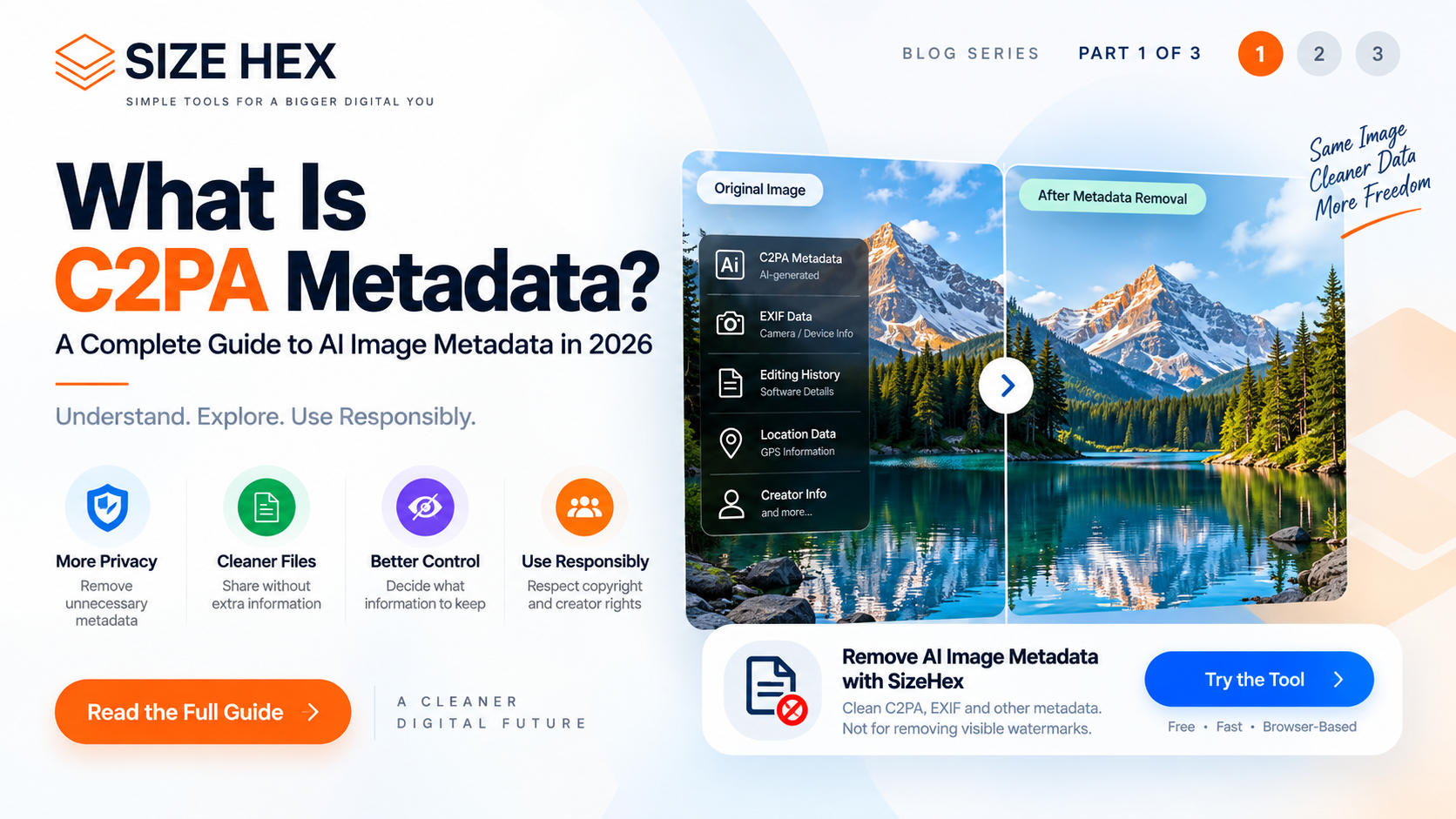
What Is C2PA Metadata? A Complete Guide to AI Image Metadata in 2026
Artificial intelligence has changed the way images are created.
Today, an image can be generated, edited, enhanced, or transformed using AI tools within seconds. As AI-generated content becomes more common, another question has become increasingly important:
How can we understand where an image came from and how it was created?
This is where C2PA metadata comes into the picture.
C2PA is a technical standard designed to help establish the provenance of digital content. It can provide information about the origin and history of an image or other digital asset.
For people working with AI-generated images, photography, digital publishing, journalism, marketing, and online content, understanding C2PA metadata can be useful.
But C2PA is often misunderstood.
It is not simply a visible watermark.
It is not the same thing as EXIF metadata.
And removing C2PA metadata does not remove visible text or logos from an image.
In this guide, we'll explain what C2PA metadata is, why it exists, what kind of information it can contain, how it relates to AI-generated images, and how it differs from traditional image metadata such as EXIF.
What Is C2PA?
C2PA stands for Coalition for Content Provenance and Authenticity.
It is an industry initiative focused on creating a technical framework for recording information about the provenance of digital content.
In simple terms, provenance means:
Where did this content come from, and what happened to it along the way?
For an image, provenance information can potentially describe things such as:
- How the content was created
- Which application or system created it
- Whether an AI system was involved
- Whether the image was edited
- What actions were performed on the content
- Which organization or software made a particular change
The goal is to make this information easier for compatible systems to understand and verify.
Instead of relying only on what someone says about an image, provenance technology can provide machine-readable information associated with the content.
Why Does C2PA Matter for AI-Generated Images?
AI-generated images have created a new challenge for digital content.
A person looking at an image may not always be able to determine whether it was:
- Captured with a camera
- Created entirely with AI
- Edited using AI
- Generated and then manually edited
- Converted between different formats
- Processed through multiple applications
Visual inspection alone cannot reliably answer all of these questions.
C2PA is designed to help provide additional provenance information.
For example, an AI-generated image may contain provenance information indicating that an AI generation process was involved.
This doesn't necessarily mean that every AI-generated image will contain C2PA metadata.
It depends on whether the application, platform, or workflow that created or processed the image supports and adds this information.
That distinction is important.
C2PA is a standard for recording provenance information. It is not a universal requirement for every image.
What Is C2PA Metadata?
C2PA metadata refers to provenance information associated with digital content using the C2PA technical framework.
This information can be stored or represented as part of a content's provenance record.
A C2PA record may contain information about actions performed on the asset.
For example, a provenance history could indicate that an image was:
Created → Edited → Exported
Or:
Generated using AI → Edited → Published
The exact information depends on the application and implementation.
The important idea is that C2PA attempts to create a structured and verifiable history of content.
C2PA Is Not the Same as a Visible Watermark
This is one of the most important concepts to understand.
A visible watermark is part of what you can actually see in an image.
For example:
PHOTO BY EXAMPLE
or a company logo placed over a photograph.
That watermark becomes part of the visible image content.
C2PA metadata is different.
It is associated with the digital asset as provenance information.
You may not see it simply by opening the image in a normal image viewer.
Therefore:
Removing C2PA metadata does not remove a visible watermark from the image.
This distinction matters when choosing an image tool.
If your goal is to remove a visible logo or text from an image, you need a tool specifically designed for visual watermark removal.
If your goal is to remove embedded provenance or metadata information, the process is different.
What Information Can C2PA Metadata Contain?
The exact information depends on the implementation, but provenance records can describe actions and relationships associated with digital content.
Potential information may include:
- Content creation information
- Editing actions
- AI-related creation or editing information
- Software or application information
- Publisher or creator information
- Content history
- Relationships between different versions of an asset
- Cryptographic information used to help verify provenance
This makes C2PA different from simple file properties.
The objective is not merely to tell you the image's dimensions or file size.
Instead, C2PA focuses on content provenance and authenticity information.
What Is Content Provenance?
Content provenance is essentially the history of a digital asset.
Think about an image moving through a workflow.
An image could begin as:
Original photograph
↓
Edited in an application
↓
Resized
↓
Converted to another format
↓
Published online
Each step represents part of the content's history.
A provenance system can potentially record relevant actions in a structured way.
For AI-generated content, this becomes especially useful because the creation process may not involve a traditional camera.
Why Is Provenance Important?
The internet contains an enormous amount of digital content.
Images are copied, edited, resized, compressed, converted, and republished constantly.
That makes it increasingly difficult to understand the history of individual assets.
Provenance technologies can help create additional context.
For example, publishers may want to know:
Was this image created by a camera or generated using AI?
Creators may want to communicate:
What tools were used to create or edit this content?
Organizations may want to maintain:
A record of how a digital asset moved through a workflow.
C2PA is one technology designed to address these kinds of provenance requirements.
C2PA and AI Transparency
The growth of generative AI has increased interest in transparency around digital content.
AI-generated images can look highly realistic.
Without additional information, it may be difficult for someone viewing an image to understand how it was created.
C2PA can provide machine-readable provenance information when supported by the tools involved.
However, C2PA should not be treated as a perfect detector of AI-generated content.
The presence of C2PA information can provide useful provenance signals, but the absence of C2PA information does not automatically prove that an image was created without AI.
This is an important distinction.
No C2PA metadata does not automatically mean an image is human-created.
Likewise:
C2PA metadata can provide provenance information, but it is not a substitute for every form of content verification.
C2PA vs EXIF Metadata
C2PA and EXIF are often mentioned together, but they serve different purposes.
EXIF stands for Exchangeable Image File Format.
EXIF metadata is commonly associated with photographs and can contain information such as:
- Camera model
- Lens information
- Exposure settings
- Date and time
- Orientation
- GPS information
- Software information
C2PA focuses more specifically on content provenance and the history of actions associated with digital content.
A simple way to think about the difference is:
EXIF → Information about the image and capture
C2PA → Information about content provenance and actions
The two can coexist.
An image may contain traditional EXIF information while also carrying C2PA provenance information.
Why Should You Care About Image Metadata?
Metadata can be useful for many legitimate reasons.
Photographers may use metadata to organize their image libraries.
Businesses may use it to manage digital assets.
Publishers may use provenance information to understand content history.
AI workflows may use metadata to communicate information about how an image was generated or edited.
At the same time, some users may want to remove metadata before sharing an image.
The reason could be:
- Privacy
- File cleanup
- Removing unnecessary information
- Preparing an image for a specific workflow
- Reducing embedded metadata
- Managing digital assets
The correct approach depends on what information the user needs to preserve.
Can C2PA Metadata Be Removed?
In some workflows, C2PA-related provenance information can be removed or altered when an image is processed or exported.
However, removing metadata changes the information associated with the file.
That means you should understand what you're removing before doing so.
If provenance information is important for your workflow, legal requirements, attribution, or content management process, keeping the original file may be appropriate.
A good practice is:
Keep the original → Create a separate cleaned copy → Use the cleaned copy when appropriate
This gives you a reference version if you later need the original provenance or metadata.
Remove AI Image Metadata with SizeHex
If your goal is to clean metadata from an image, SizeHex provides an AI Image Watermark Remover designed around image metadata and provenance information rather than removing visible watermark pixels.
You can access the tool here:
https://sizehex.com/ai-image-watermark-remover
The important distinction is that the tool is intended for metadata/provenance cleanup, not for removing visible text or logos from an image.
Always make sure that removing metadata is appropriate for your intended use and complies with the requirements of the platform, content creator, or applicable policies.
Is C2PA Metadata a Watermark?
Not in the traditional visual sense.
A watermark is usually something intentionally placed on an image to identify ownership, branding, or usage restrictions.
C2PA information is about provenance.
You can therefore think about them as two different layers:
Visible watermark
Text, logo, or graphic that appears on the image.
Provenance metadata
Machine-readable information associated with the digital content.
They can serve completely different purposes.
This is why searching for an "AI watermark remover" can sometimes create confusion.
A person may be looking for a tool to remove visible AI-generated labels or watermarks, while another person may actually want to remove hidden metadata or provenance information.
Understanding the difference helps you choose the right tool.
Key Takeaways
C2PA metadata is becoming an important concept in the world of AI-generated and digitally edited content.
The most important things to remember are:
• C2PA stands for Coalition for Content Provenance and Authenticity.
• C2PA is designed to communicate information about digital content provenance.
• C2PA metadata can describe creation and editing actions associated with content.
• C2PA is different from traditional EXIF metadata.
• C2PA metadata is not the same as a visible watermark.
• Removing C2PA metadata does not remove visible text or logos from an image.
• Not every AI-generated image will necessarily contain C2PA information.
• The absence of C2PA information does not automatically prove that an image was not created or edited using AI.
• Metadata should be removed only when doing so is appropriate for the intended workflow.
As AI-generated content becomes more common, understanding provenance and metadata will become increasingly useful for creators, publishers, businesses, and everyday users.
In the next guide, we'll look more closely at how to remove C2PA metadata from AI-generated images, what happens when provenance information is removed, and the situations where you may or may not want to remove it.
How C2PA Metadata Works in AI-Generated Images
Understanding what C2PA means is useful, but the next question is more practical:
How does C2PA metadata actually work?
C2PA is designed around the idea of creating a verifiable record of content provenance.
Instead of simply storing basic image information, a C2PA-enabled workflow can create a structured record describing actions associated with a digital asset.
For example, imagine an image is created using an AI generation tool.
The workflow might look something like this:
AI generation
↓
Image editing
↓
Image resizing
↓
Image export
↓
Online publication
Depending on the tools and systems involved, provenance information can potentially describe relevant actions throughout this process.
This provides additional context about the content's history.
However, C2PA does not mean that every single action performed on every image is automatically recorded.
The application or service needs to support the relevant C2PA implementation.
That is why C2PA should be understood as a provenance framework, rather than a universal tracking system for every image.
What Happens When an AI Tool Adds C2PA Information?
When a compatible application creates or edits digital content, it can generate provenance information associated with that content.
The information may describe:
• The creation or editing action
• The software or system involved
• The relationship between different versions
• Information about the creator or organization, when provided
• Other provenance-related information supported by the implementation
Some implementations also use cryptographic techniques to help establish whether provenance information has been altered.
This is one of the important differences between ordinary image metadata and provenance systems.
Traditional metadata can often be edited using standard image-processing software.
C2PA is designed with mechanisms intended to make provenance information more verifiable.
What Is a C2PA Manifest?
One important concept within C2PA is the manifest.
A manifest can be thought of as a structured collection of provenance information associated with digital content.
Instead of simply having a field such as:
"Created with Camera X"
a provenance record can contain information about actions and relationships associated with the asset.
For example, a simplified workflow could look like:
Original Content
↓
Creation Action
↓
Editing Action
↓
Export Action
The manifest can provide information about these relationships.
The actual structure is much more technical than this simplified example, but the basic concept is straightforward:
A C2PA manifest provides structured provenance information about digital content.
How Is C2PA Different from Normal File Metadata?
This is another area where confusion is common.
An image file may contain several types of information at the same time.
For example, a photograph could contain:
Image pixels
EXIF metadata
Other file metadata
C2PA provenance information
These are not necessarily interchangeable.
EXIF may tell you about the camera and capture settings.
Other metadata may contain information about the software used to process the file.
C2PA focuses on provenance and the history of actions associated with the content.
Therefore, deleting ordinary EXIF information does not necessarily mean that every form of provenance information has been removed.
Likewise, removing C2PA-related information does not automatically remove every other piece of metadata.
Can You See C2PA Metadata by Opening an Image?
Usually, not in the same way that you can see the image itself.
When you open a JPG or another supported image in a standard image viewer, you normally see the visual content.
You don't necessarily see all embedded metadata or provenance information.
Some applications and services can inspect and display available provenance information.
This is one reason metadata inspection tools can be useful when you need to understand what's actually contained in an image file.
How Do You Know If an Image Has C2PA Metadata?
The most reliable approach is to inspect the file using software or services that understand C2PA and related metadata.
Depending on the image and application involved, you may find information describing:
• Content origin
• Creation method
• Editing history
• AI-related actions
• Creator information
• Publisher information
• Other provenance details
However, the absence of visible provenance information does not necessarily mean that an image has no metadata at all.
Different tools store and expose metadata differently.
Does Every AI-Generated Image Have C2PA Metadata?
No.
This is one of the most important points to understand.
C2PA is not a universal requirement for AI-generated images.
Whether an image contains C2PA information depends on the software, platform, workflow, and implementation used to create or process the image.
An AI-generated image may therefore have provenance information in one workflow but not another.
For this reason, you should not use the simple rule:
"AI image = C2PA metadata."
A more accurate rule is:
Some AI image workflows can create and preserve C2PA provenance information.
Does C2PA Prove That an Image Is AI-Generated?
C2PA can provide useful provenance information, but it should not be treated as a universal AI detector.
If a compatible workflow records that an AI system was involved in creating or editing content, that provenance can provide valuable information.
However, the absence of C2PA information doesn't prove that AI was not involved.
An image may have:
• Lost its metadata during processing
• Been exported through software that doesn't preserve provenance
• Been created in a workflow that doesn't use C2PA
• Been converted into another format or processed in a way that affects metadata
Therefore:
C2PA provenance can provide evidence about content history, but it is not the same thing as a universal AI detection system.
What Happens When an Image Is Resized or Converted?
Image processing can affect metadata.
When an image is:
• Resized
• Compressed
• Converted
• Cropped
• Exported
• Edited
• Uploaded to another platform
some metadata may be preserved, modified, or removed depending on the software and workflow.
This is important because the image you download from one platform may not contain exactly the same metadata as the original file.
For example:
Original image
↓
Editing software
↓
Export
↓
Social media platform
↓
Downloaded image
The final downloaded image may have a different metadata structure from the original.
This is one reason provenance should always be considered in the context of the complete content workflow.
Can Social Media Platforms Remove C2PA Metadata?
It depends on the platform and its processing pipeline.
When an image is uploaded to a social platform, the platform may process the file.
It may:
- Resize the image
- Compress the image
- Re-encode the image
- Generate new versions
- Remove certain metadata
- Preserve certain metadata
Because platform processing changes over time, you should not assume that every platform handles C2PA or other metadata in exactly the same way.
If provenance information is important, keep the original file rather than relying exclusively on a copy downloaded from a third-party platform.
What Is the Difference Between C2PA and EXIF?
Let's make the distinction simple.
EXIF metadata
Primarily provides technical and descriptive information associated with photographs.
Examples include:
Camera model
Lens information
Exposure settings
Capture date
GPS information
Orientation
Software information
C2PA provenance
Focuses on the history and provenance of digital content.
Examples can include:
Creation actions
Editing actions
AI-related actions
Publisher information
Content relationships
Provenance records
A single image can potentially contain both.
So C2PA does not replace EXIF.
They address different types of information.
Why Would Someone Want to Remove C2PA or Image Metadata?
There are several legitimate reasons someone might want to clean metadata from an image.
Privacy
Some metadata can contain information that a user doesn't want to share.
Depending on the image, metadata can potentially include information such as location, device details, or software information.
File Cleanup
A user may simply want a cleaner file without unnecessary embedded information.
Publishing Workflows
Some websites or applications may have specific requirements for uploaded files.
Asset Management
Businesses may create separate versions of digital assets for different purposes.
Sharing Images
A person may prefer to remove unnecessary metadata before sharing an image publicly.
However, metadata can also be valuable.
Photographers, publishers, journalists, businesses, and content creators may rely on metadata for legitimate purposes.
Therefore, metadata removal should be a deliberate decision rather than something you do automatically to every image.
Should You Keep a Backup Before Removing Metadata?
Yes, especially when the original metadata may be useful later.
A simple workflow is:
Original image
↓
Keep the original safely stored
↓
Create a separate metadata-cleaned copy
↓
Use the cleaned copy where appropriate
This approach gives you the best of both worlds.
You retain the original file and its information while having a separate version for situations where metadata removal makes sense.
How SizeHex Handles AI Image Metadata
SizeHex provides an AI Image Watermark Remover designed around metadata and provenance cleanup.
The tool is useful when your objective is to process metadata associated with an image rather than erase visible text or logos from the image pixels.
You can access the tool here:
https://sizehex.com/ai-image-watermark-remover
This distinction is important.
If you have a visible watermark such as a logo or text over a photograph, metadata removal will not make that visible watermark disappear.
If your objective is to clean embedded image metadata or provenance-related information, a metadata-focused tool is more appropriate.
Always keep the original file when the metadata may be important for attribution, verification, legal requirements, or your own records.
C2PA Metadata and Digital Trust
One of the broader goals behind content provenance technologies is to provide more context around digital content.
As AI-generated images become increasingly realistic, knowing how content was created and modified can become useful for:
• Publishers
• Journalists
• Businesses
• Photographers
• Designers
• Marketing teams
• Content creators
• Digital platforms
Rather than relying only on visual appearance, provenance information can provide another layer of context.
This doesn't eliminate the need for human judgment.
Instead, it can give users additional information when evaluating digital content.
What C2PA Cannot Tell You
C2PA is useful, but it has limitations.
It cannot automatically answer every question about an image.
For example, the presence of provenance information does not necessarily tell you:
- Whether every claim made about the image is true
- Whether the person who created the content is trustworthy
- Whether an image is legally safe to use
- Whether every editing step was recorded
- Whether an image without C2PA information is authentic
- Whether an image has never been modified outside a provenance-aware workflow
C2PA should therefore be viewed as one source of provenance information rather than a complete replacement for verification.
Important Difference: Metadata Removal vs Watermark Removal
Let's return to the most common misunderstanding.
Suppose an image contains:
"SAMPLE PHOTO"
written across the middle of the image.
That's a visible watermark.
Removing metadata will not erase those pixels.
Now suppose the image contains embedded metadata describing its creation or processing history.
That is a different type of information.
A metadata removal tool can target the embedded information without necessarily changing the visible pixels.
So:
Visible watermark → Visual image editing
C2PA/EXIF metadata → Metadata processing
Understanding this difference can prevent you from using the wrong tool for the job.
When Should You Remove Image Metadata?
Metadata removal can make sense when:
• You are preparing an image for public sharing and don't need the embedded metadata.
• You want to create a cleaner copy of an image.
• You are concerned about unnecessary metadata exposure.
• A particular workflow requires metadata to be removed.
• You are preparing a separate distribution copy.
But you should consider keeping metadata when:
• It is required for attribution.
• It is important for professional photography.
• It supports your digital asset management workflow.
• It is needed for documentation or verification.
• You may need the original provenance information later.
The safest general workflow is to preserve the original and create a separate cleaned version.
Part 2 Key Takeaways
C2PA is much more than another image file property.
It is designed to provide structured information about the provenance and history of digital content.
The key points are:
• C2PA stands for Coalition for Content Provenance and Authenticity.
• C2PA can provide information about how digital content was created or modified.
• A C2PA manifest can contain structured provenance information.
• C2PA is different from EXIF metadata.
• An image can potentially contain both EXIF and C2PA information.
• Not every AI-generated image contains C2PA metadata.
• C2PA should not be treated as a universal AI detector.
• Image processing and platform uploads can affect metadata.
• Removing metadata is different from removing a visible watermark.
• Keeping an original copy before metadata removal is a good practice when the original information may be valuable.
Understanding these differences makes it much easier to work responsibly with AI-generated images and digital content.
How to Remove C2PA Metadata and Other Image Metadata
Once you understand what C2PA metadata is and why it exists, the next question is practical:
How can you remove metadata from an image?
The answer depends on the type of metadata you're dealing with and the reason you want to remove it.
Images can contain different types of metadata, including EXIF information, IPTC information, software details, and provenance-related information.
A metadata-cleaning workflow should therefore begin by understanding what information is actually present in the image.
The general process is:
Select the original image
↓
Process the image with an appropriate metadata tool
↓
Create a cleaned copy
↓
Check the resulting file
↓
Keep the original if the metadata may be needed later
This approach is safer than permanently replacing your original image.
How to Remove Image Metadata Online
For users who don't want to install desktop software, an online metadata removal tool can provide a convenient workflow.
With a browser-based tool, the basic process can be:
Upload or select an image
↓
Process the image
↓
Remove supported metadata
↓
Download the cleaned image
However, privacy matters when using online image tools.
Before using any service, check how it processes uploaded files.
A tool that processes files locally in the browser can provide a different privacy model from a service that uploads files to a remote server.
For sensitive images, understanding where processing occurs is especially important.
Remove AI Image Metadata with SizeHex
SizeHex provides an AI Image Watermark Remover focused on metadata and provenance-related information rather than removing visible watermark pixels.
You can access the tool here:
https://sizehex.com/ai-image-watermark-remover
The tool is designed for users who want to process image metadata associated with AI-generated or digitally processed images.
It is important to understand what the tool does before using it.
It does not turn a visibly watermarked image into a watermark-free image.
For example, if an image contains a visible logo or text across the photograph, metadata removal will not erase those pixels.
The purpose is different:
Metadata removal → Cleans supported embedded information
Visible watermark removal → Requires image editing or other visual processing
What Happens When Metadata Is Removed?
Metadata removal and image editing are not necessarily the same thing.
When metadata is removed correctly, the goal is to remove associated information while leaving the visible image itself unchanged.
For example, removing EXIF information should not require changing the photograph's visible composition.
Similarly, cleaning supported provenance information is different from editing the actual pixels.
However, the exact result depends on the processing method and file format.
This is why you should always check the output after processing.
Look at:
• Image appearance
• Dimensions
• File format
• File size
• Metadata status
• Any information that your workflow requires
Does Removing Metadata Reduce Image Quality?
Metadata removal itself is generally intended to target information associated with the file rather than the visible image content.
However, the answer can depend on how the file is processed.
If a tool simply removes metadata without re-encoding the image, the visual pixels may remain unchanged.
If the image is decoded and re-encoded as part of the workflow, the output may behave differently depending on the format and encoding settings.
Therefore, don't assume that every metadata-processing tool works in exactly the same way.
After processing an important image, compare the original and cleaned versions.
Does Removing C2PA Metadata Remove the AI From an Image?
No.
Removing C2PA metadata does not change the fact that an image may have been created or edited using AI.
It changes the provenance information associated with the file.
This distinction is extremely important.
Think of it this way:
Image content
The actual pixels you see.
Metadata
Information associated with the digital file.
Removing metadata does not automatically reconstruct, alter, or remove the visual content.
An AI-generated image remains an AI-generated image even if associated metadata is removed.
The metadata and the actual image are separate concepts.
Does Removing C2PA Metadata Make an Image Undetectable as AI?
Not necessarily.
Removing provenance information does not guarantee that an image cannot be identified as AI-generated by other methods.
AI detection systems, visual analysis, platform signals, file characteristics, and other techniques may operate independently of C2PA metadata.
Therefore, it would be incorrect to think:
Remove C2PA → AI detection becomes impossible
That is not a reliable assumption.
C2PA is one source of provenance information.
Removing it does not erase every possible signal about how an image was created or processed.
Why Do People Remove Metadata From AI Images?
There are several reasons someone may want to create a metadata-cleaned copy.
Privacy
Some metadata can contain information that a user doesn't want to distribute.
File Cleanup
A user may want a cleaner digital asset without unnecessary embedded information.
Publishing Requirements
Some workflows or platforms may have specific requirements regarding metadata.
Asset Distribution
A company may create a separate version of an image for external distribution.
Personal Preference
Some users simply prefer to control what information is embedded in the files they share.
However, metadata can also serve important purposes.
It can help establish provenance, attribution, organization, and technical information.
So metadata removal should be intentional.
When You Should Keep C2PA Metadata
There are situations where provenance information may be useful.
You may want to keep it when:
• You want to preserve content history.
• You need attribution information.
• You're working in a professional publishing environment.
• You are maintaining an original asset for future verification.
• Your organization uses provenance information as part of its workflow.
• You want to preserve information about how an image was created or modified.
In these cases, don't treat metadata removal as a default step.
Instead, create a separate copy if you need a cleaned version.
The Best Workflow for Metadata Removal
A simple and responsible workflow looks like this:
Step 1: Keep the original
Save the original image before processing.
Step 2: Decide what needs to be removed
Determine whether you're dealing with EXIF, other metadata, C2PA provenance information, or another type of embedded data.
Step 3: Use an appropriate tool
Choose a tool that supports the type of metadata you want to process.
Step 4: Create a separate copy
Whenever possible, don't overwrite your original.
Step 5: Check the output
Confirm that the image still meets your requirements.
Step 6: Use the cleaned version
Use the cleaned copy only where metadata removal is appropriate.
This workflow is particularly useful for professional photographers, designers, marketers, publishers, and businesses.
Metadata Removal vs Image Compression
Metadata removal and compression solve different problems.
Compression
Reduces the amount of data used to represent the image.
Goal:
Smaller file size
Metadata removal
Removes supported information associated with the image.
Goal:
Cleaner or more privacy-conscious file
Removing metadata is not a replacement for image compression.
Likewise, compressing an image doesn't necessarily mean all metadata has been removed.
You may use both techniques as part of a larger image optimization workflow.
For image compression, you can use the SizeHex Image Compressor.
Metadata Removal vs Image Resizing
Resizing changes the image dimensions.
For example:
4000 × 3000 px
↓
1600 × 1200 px
Metadata removal does not necessarily change the pixel dimensions.
These are separate operations.
If you're preparing an image for a website, you may use:
Resize → Format conversion → Compression → Metadata cleanup
The exact order can vary depending on the workflow and tools being used.
What About HEIC Images?
Modern smartphones often use HEIC or HEIF-based image formats.
These files can contain their own metadata and may not be supported by every application or website.
If your workflow requires a JPG version, you can first convert the image using the SizeHex HEIC to JPG Converter:
https://sizehex.com/heic-converter
After conversion, you can prepare the resulting image according to your intended use.
For example:
HEIC
↓
JPG
↓
Resize if necessary
↓
Compress if necessary
↓
Publish or share
Always keep the original HEIC file if you may need it later.
Can Metadata Be Removed From JPG, PNG and WebP Images?
Metadata support varies by image format and by the software used to process the file.
JPG files commonly contain EXIF and other metadata.
PNG files can contain different types of textual and application-related information.
WebP can also contain metadata depending on how the file was created.
Therefore, "remove metadata" isn't a single universal operation that behaves identically across every format.
The exact metadata that can be removed depends on the file and processing method.
Common Mistakes When Removing Image Metadata
There are several mistakes worth avoiding.
Mistake 1: Overwriting the Original
If you permanently replace the original, you may lose useful provenance or metadata.
Keep a backup when the information matters.
Mistake 2: Assuming Metadata Removal Removes Watermarks
It doesn't.
Visible watermarks are part of the image content.
Mistake 3: Assuming C2PA Is the Same as EXIF
They serve different purposes.
Mistake 4: Treating Metadata Removal as AI Detection Evasion
Removing metadata does not guarantee that an image cannot be identified as AI-generated by other methods.
Mistake 5: Removing Metadata Without Understanding Why
Some metadata can be useful.
Always consider whether you actually need to remove it.
Mistake 6: Using an Untrusted Tool for Sensitive Images
Before processing private images, understand how the tool handles your files and whether processing occurs locally or remotely.
Is Removing AI Image Metadata Legal?
Metadata removal itself is not automatically illegal.
However, the circumstances matter.
An image may contain information related to:
- Copyright
- Attribution
- Licensing
- Provenance
- Platform requirements
- Professional workflows
- Legal documentation
Removing metadata does not give someone ownership of an image or permission to use copyrighted content.
You should always respect copyright, licensing terms, creator rights, and applicable laws.
If an image belongs to someone else, removing metadata does not remove their rights over the content.
Responsible Use of Metadata Removal Tools
Metadata tools can be useful for legitimate privacy and file-management purposes.
They should not be treated as a way to bypass ownership, licensing, attribution, or platform rules.
Before removing provenance or other identifying information, consider:
Do I own this image?
Do I have permission to modify it?
Do I need the metadata for attribution or verification?
Does the platform or workflow require the information?
Should I keep the original version?
These simple questions can prevent unnecessary problems later.
Frequently Asked Questions
What is C2PA metadata?
C2PA metadata refers to provenance information associated with digital content using the C2PA framework. It can describe information about how content was created or modified when supported by the relevant tools and workflow.
Is C2PA metadata the same as EXIF?
No. EXIF primarily stores technical and descriptive information associated with images, while C2PA focuses on content provenance and related actions.
Does C2PA metadata mean an image is AI-generated?
Not necessarily. C2PA can provide provenance information about creation or editing, but not every AI-generated image contains C2PA information.
Does removing C2PA metadata remove a visible watermark?
No. A visible watermark is part of the image pixels. Removing metadata does not remove visible text, logos, or other graphics from the image.
Can I remove C2PA metadata from an image?
Depending on the file and the tools involved, provenance-related information may be removed or altered. Always understand what you're removing and keep the original when the information may be important.
Does removing metadata reduce image quality?
Metadata removal is intended to target information associated with the file rather than the visible image. However, the effect depends on how the file is processed, so checking the output is recommended.
Does removing C2PA make an AI image impossible to detect?
No. Removing provenance information does not guarantee that an image cannot be identified as AI-generated through other methods or signals.
Why would someone remove image metadata?
Common reasons include privacy, file cleanup, publishing workflows, and preparing a separate distribution copy.
Should I keep the original image?
Yes, especially if the original contains useful metadata, provenance, attribution, or information you may need later.
Can SizeHex remove AI image metadata?
SizeHex provides an AI Image Watermark Remover focused on metadata and provenance-related image processing. It is not designed to erase visible watermark pixels.
Can I remove EXIF and C2PA at the same time?
That depends on the file and the specific tool being used. EXIF and C2PA are different types of information, so support should be checked rather than assuming one operation removes everything.
Conclusion
C2PA metadata is becoming an increasingly important part of the conversation around AI-generated and digitally edited content.
It provides a way for compatible tools and systems to communicate information about content provenance and history.
At the same time, C2PA should not be confused with a visible watermark, EXIF metadata, or a universal AI detection system.
If you need to remove image metadata, the most responsible approach is to understand what information is being removed and why.
Keep the original file when the metadata may be useful.
Create a separate cleaned copy when appropriate.
And always distinguish between metadata removal and visual image editing.
For users who want to process supported image metadata and provenance information, SizeHex provides a browser-based AI Image Watermark Remover:
https://sizehex.com/ai-image-watermark-remover
The key is not simply removing information.
It's understanding the information you're removing and using the right tool for the right job.
Why Choose SizeHex?
SizeHex is designed around simple, practical online tools for everyday digital tasks.
For image metadata workflows, the AI Image Watermark Remover provides a focused way to process supported metadata and provenance-related information without requiring complicated desktop software.
SizeHex also provides additional image tools for related workflows, including image resizing, image conversion, WebP conversion, HEIC conversion, cropping, and compression.
This makes it possible to handle several common image-processing tasks from one simple toolkit.
Related Tools
AI Image Watermark Remover
https://sizehex.com/ai-image-watermark-remover
Image Compressor
https://sizehex.com/
Image Resizer
https://sizehex.com/image-resizer
Image Converter
https://sizehex.com/image-converter
WebP Converter
https://sizehex.com/webp-converter
HEIC to JPG Converter
https://sizehex.com/heic-converter
Image Crop Tool
https://sizehex.com/image-crop